
How to Calculate Tiered Affiliate Commissions Without Spreadsheet Errors
A practical guide to tiered affiliate commission math, including marginal tiers, retroactive tiers, refund holds, examples, and review controls.
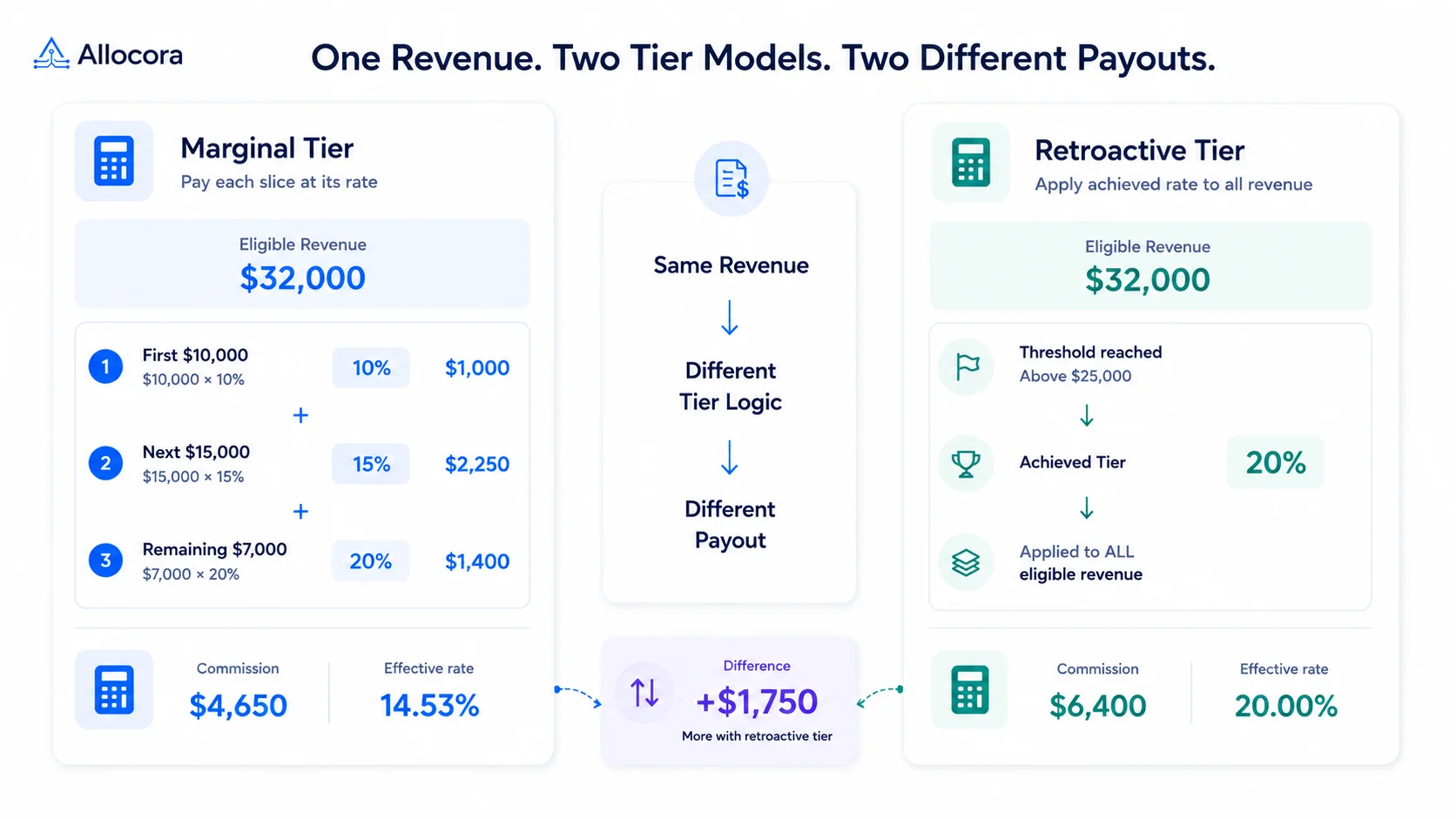
Tiered affiliate commissions are easy to describe and surprisingly easy to miscalculate. The rate usually rises after a partner reaches a revenue or customer threshold, but the agreement must say whether the higher rate applies only to the next slice of revenue or to the entire amount.
This article covers the calculation choices teams need to make before a tiered commission payout is reviewed or exported.
Use the tiered commission calculator to model marginal tier thresholds, commissionable revenue, and a refund or clawback hold. Use the process below when the result needs to be reviewed, reproduced, and explained later.
Quick answer
To calculate tiered affiliate commission, first define eligible revenue, then apply the tier method from the agreement. For marginal tiers, multiply each revenue slice by its rate and add the results. For retroactive tiers, find the achieved tier and apply that rate to the full eligible amount. Subtract refunds, clawbacks, and holds according to the policy before approving the payout.
The calculation in three stages
Keep the revenue basis, gross commission, and final payable separate. That makes it easier to see whether a refund changed tier attainment or only reduced the payout after the tier was determined.
Stage 1: eligible revenue
Start with revenue in scope for the partner and payout period, then remove contract-defined exclusions.
eligible_revenue = in_scope_revenue - excluded_revenue
If the agreement says refunds reduce tier qualification, subtract them here. If it uses later clawbacks or holds instead, carry those amounts to Stage 3 so they are not counted twice.
Stage 2: gross tiered commission
For a marginal tier plan:
gross_tiered_commission = sum(revenue_in_tier * tier_rate)
For a retroactive tier plan:
gross_tiered_commission = eligible_revenue * achieved_rate
The agreement must define whether tier attainment uses each transaction separately or total eligible revenue for the period. Those bases can produce different results.
Stage 3: net payable after refunds, clawbacks, holds, and adjustments
net_payable = gross_tiered_commission - refund_commission_reversals - clawbacks - holds + approved_adjustments
For example, assume $32,000 of eligible revenue produces $4,650 of gross marginal commission. A $500 refund from the 20 percent tier creates a $100 commission reversal, and a 2 percent hold calculated on gross commission retains another $93. With no other adjustments, the net payable is $4,457:
$4,650 - $100 - $93 = $4,457
The calculation record should show each stage separately so reviewers can see the eligible base, gross tier result, and final adjustments without double-counting a refund.
The agreement must also define whether refunds reduce tier qualification or only reduce the final commission after the tier has been determined. Those approaches can produce different achieved rates.
Step 1: define eligible revenue
Do not start with total cash collected unless the contract says cash collected is the commission base. Most affiliate programs need a cleaner base:
- Start with invoice, subscription, order, or recognized revenue for the payout period.
- Remove taxes, pass-through fees, excluded products, coupons, and non-commissionable services.
- Apply refunds, chargebacks, and credit notes using a documented timing rule.
- Keep customer, subscription, product, currency, affiliate, and period identifiers.
If the base amount is wrong, the tier calculation will still look precise while producing the wrong payout.
Step 2: identify the tier style
| Tier style | What it means | Where teams get it wrong |
|---|---|---|
| Marginal tier | Each slice of revenue is paid at the rate for that slice. | Applying the top rate to all revenue. |
| Retroactive tier | The achieved rate applies to the full eligible amount. | Treating a retroactive plan like marginal tiers. |
| Unit tier | Rate changes after customer, seat, or deal count thresholds. | Counting revenue when the contract counts units. |
| Period tier | Threshold resets monthly, quarterly, or annually. | Mixing lifetime and period thresholds. |
When the contract does not specify the style, do not guess. The difference can be material.
Marginal tier example
Assume a partner has 32000 in eligible monthly revenue and the agreement says:
| Revenue slice | Rate | Commission |
|---|---|---|
| First $10000 | 10 percent | 1000 |
| Next $15000 | 15 percent | 2250 |
| Remaining $7000 | 20 percent | 1400 |
Total commission is 4650. The effective rate is 14.53 percent. The partner did reach the 20 percent tier, but only the revenue above 25000 used that rate.
Retroactive tier example
Using the same 32000 eligible revenue, a retroactive tier plan might say:
| Achieved revenue | Rate applied to all eligible revenue |
|---|---|
| Up to $10,000 | 10 percent |
| Above $10,000 and up to $25,000 | 15 percent |
| Above $25000 | 20 percent |
The commission is 6400 because 32000 uses the achieved 20 percent rate. That is 1750 higher than the marginal example. This is why the agreement, calculation record, and payout statement should clearly name the tier method.
Step 3: decide how refunds affect tiers
Refunds create the most disputes because they can change both the eligible base and tier qualification. Choose one policy and apply it consistently:
- Current-period reduction: subtract refunds in the month they occur.
- Original-period adjustment: reopen the period where the original commission was earned.
- Clawback balance: show a negative adjustment on the next payout.
- Holdback: reserve a percentage until refund risk passes.
For affiliate teams, a holdback is often simpler than reopening old workbooks. For finance teams, the key is traceability: the statement should show which refund reduced which payout.
Step 4: store tier evidence
A reviewable tiered payout should retain:
- Tier threshold and rate.
- Tier style, such as marginal or retroactive.
- Revenue counted toward the threshold.
- Refund and adjustment treatment.
- Rule version or contract reference.
- Calculation run ID.
- Reviewer and approval timestamp.
This is the difference between a number and an auditable payout decision.
Spreadsheet checks before payout
If the payout is still in a spreadsheet, check these before export:
- Tier ranges start at zero and have no gaps.
- Only the last tier is open-ended.
- Refund rows have original transaction references.
- Partner totals reconcile to source revenue.
- Manual adjustments have notes.
- The effective rate is shown for review but not used as the calculation method.
A spreadsheet may still be enough for an early program. The Allocora vs spreadsheets comparison outlines the point where recurring review, rule history, and payout evidence start to require a governed workflow.
When to use Allocora
Use a calculator for scenario planning. Use Allocora when tiered commission logic needs versioned rules, locked calculation runs, partner statements, payout exports, and reconciliation evidence. Allocora does not move money. It calculates and explains the obligation, while Stripe, AP, a bank, or a payout rail executes the payment.
For a broader workflow, pair this article with the Stripe affiliate commission automation and the audit-ready settlements.
FAQ
What is the safest tier model for affiliate commissions?
Marginal tiers are usually easier to defend because each slice has a visible rate. Retroactive tiers can be valid, but the agreement should clearly state that the achieved rate applies to all eligible revenue.
Should refunds reduce tier qualification?
They should if the contract defines commissionable revenue net of refunds. If the program uses holdbacks or clawbacks instead, keep those policies visible on the statement.
Can a tiered calculator replace payout software?
No. A calculator estimates one scenario. Payout software is needed when the team needs repeatable source imports, rule history, approvals, statements, exports, and reconciliation.
Related Articles
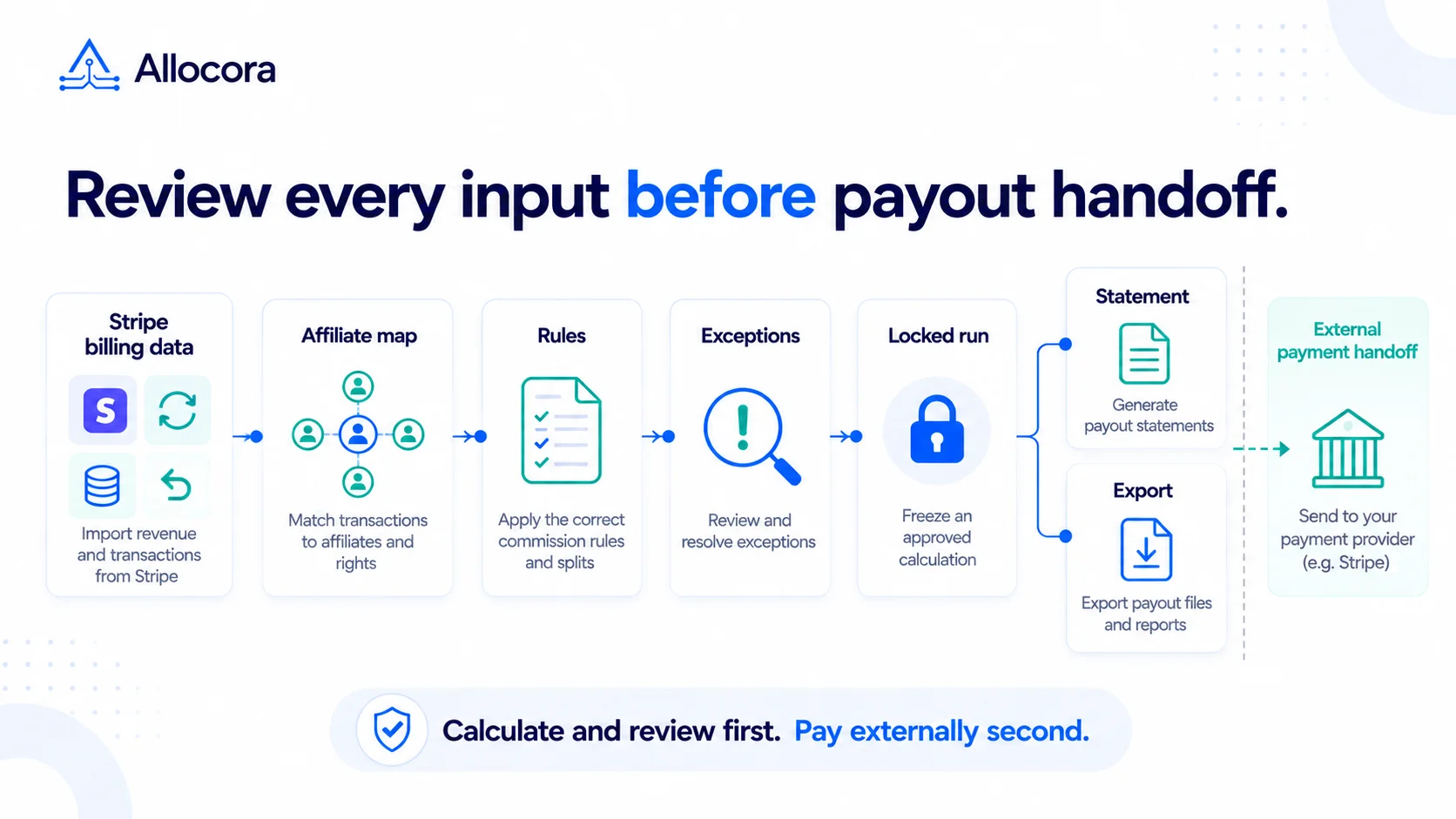 Stripe Revenue-to-Affiliate Payout Close Checklist
Review Stripe revenue for affiliate commission close: choose the ingestion path and date policy, verify mappings and corrections, lock the calculation, and prepare the external payment handoff.
Sep 24, 2026 - 6 min read
Stripe Revenue-to-Affiliate Payout Close Checklist
Review Stripe revenue for affiliate commission close: choose the ingestion path and date policy, verify mappings and corrections, lock the calculation, and prepare the external payment handoff.
Sep 24, 2026 - 6 min read
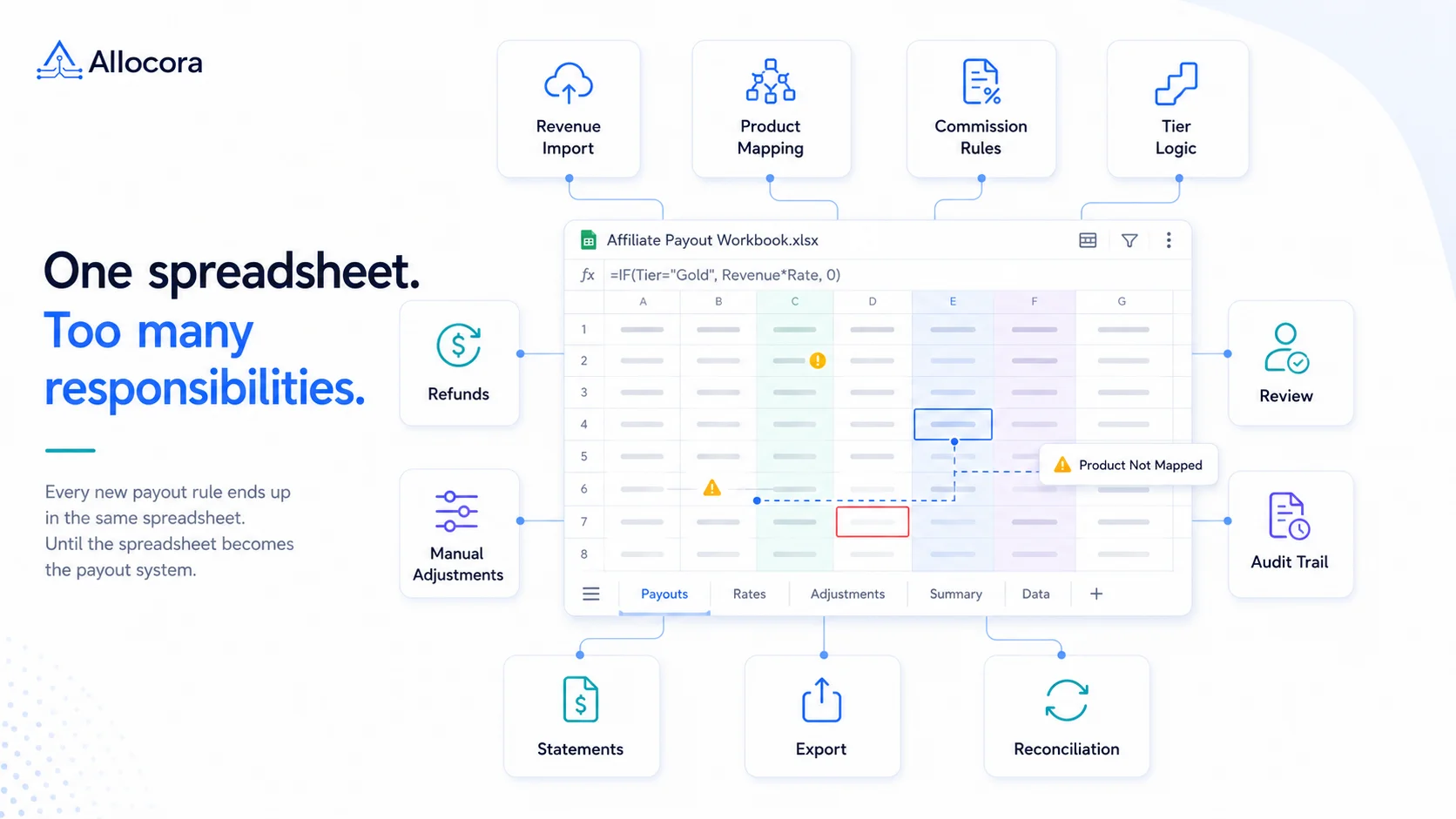 Monthly Affiliate Payout Spreadsheet: Required Fields, Controls, and Review Flow
Structure a monthly affiliate payout spreadsheet with source fields, refund adjustments, review controls, export checks, and a clear path to governed payout runs.
Jul 22, 2026 - 5 min read
Monthly Affiliate Payout Spreadsheet: Required Fields, Controls, and Review Flow
Structure a monthly affiliate payout spreadsheet with source fields, refund adjustments, review controls, export checks, and a clear path to governed payout runs.
Jul 22, 2026 - 5 min read
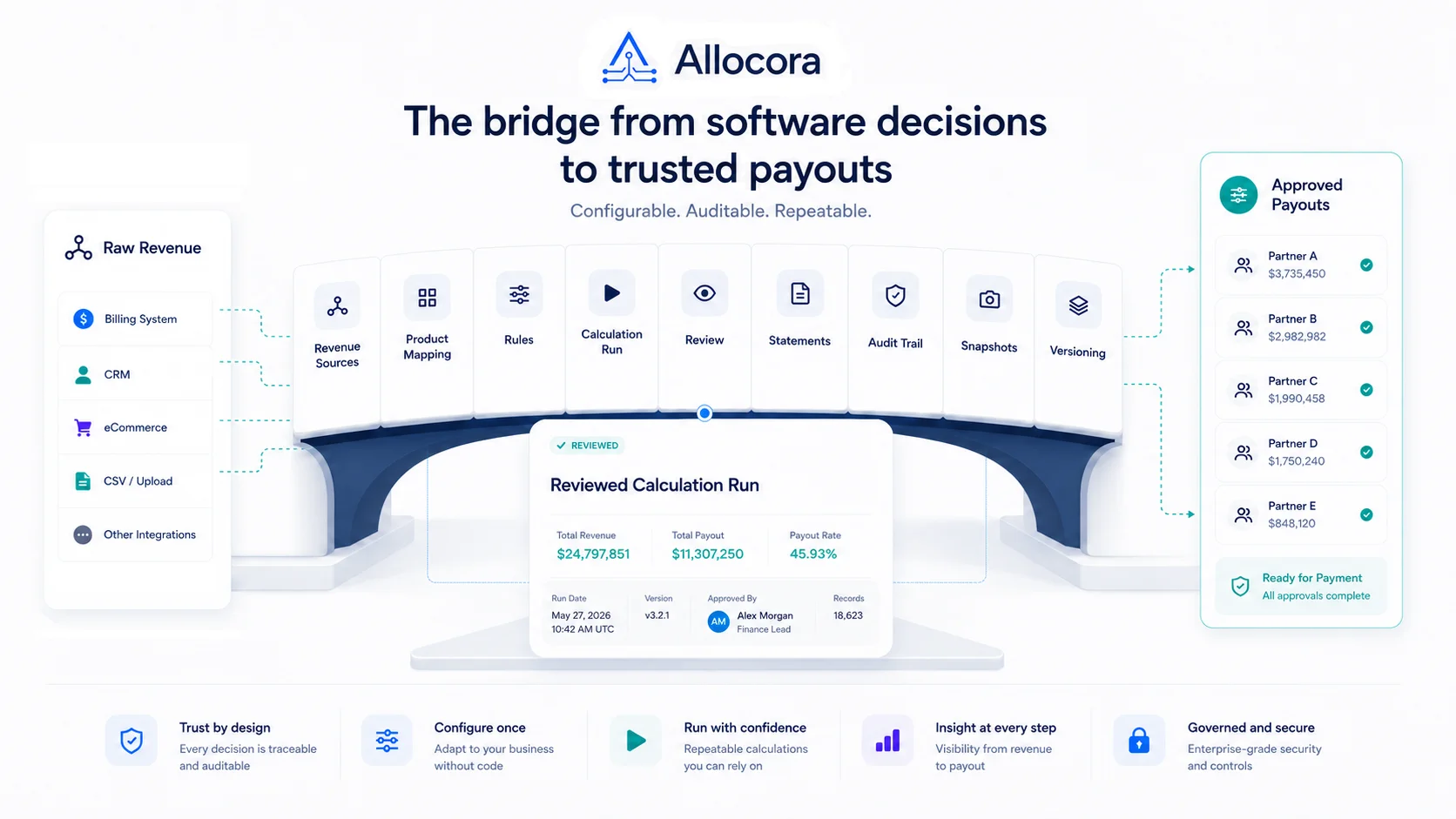 How to Calculate Affiliate Commissions From Stripe Revenue
A practical close guide for teams that use Stripe revenue data and need a reviewable affiliate commission process before payout files are sent.
Jul 14, 2026 - 8 min read
How to Calculate Affiliate Commissions From Stripe Revenue
A practical close guide for teams that use Stripe revenue data and need a reviewable affiliate commission process before payout files are sent.
Jul 14, 2026 - 8 min read