
Partner Commission Tracking Needs Rules, Runs, and Audit Trails
A useful guide for teams that need partner commission tracking to be explainable after close, not just calculated once.
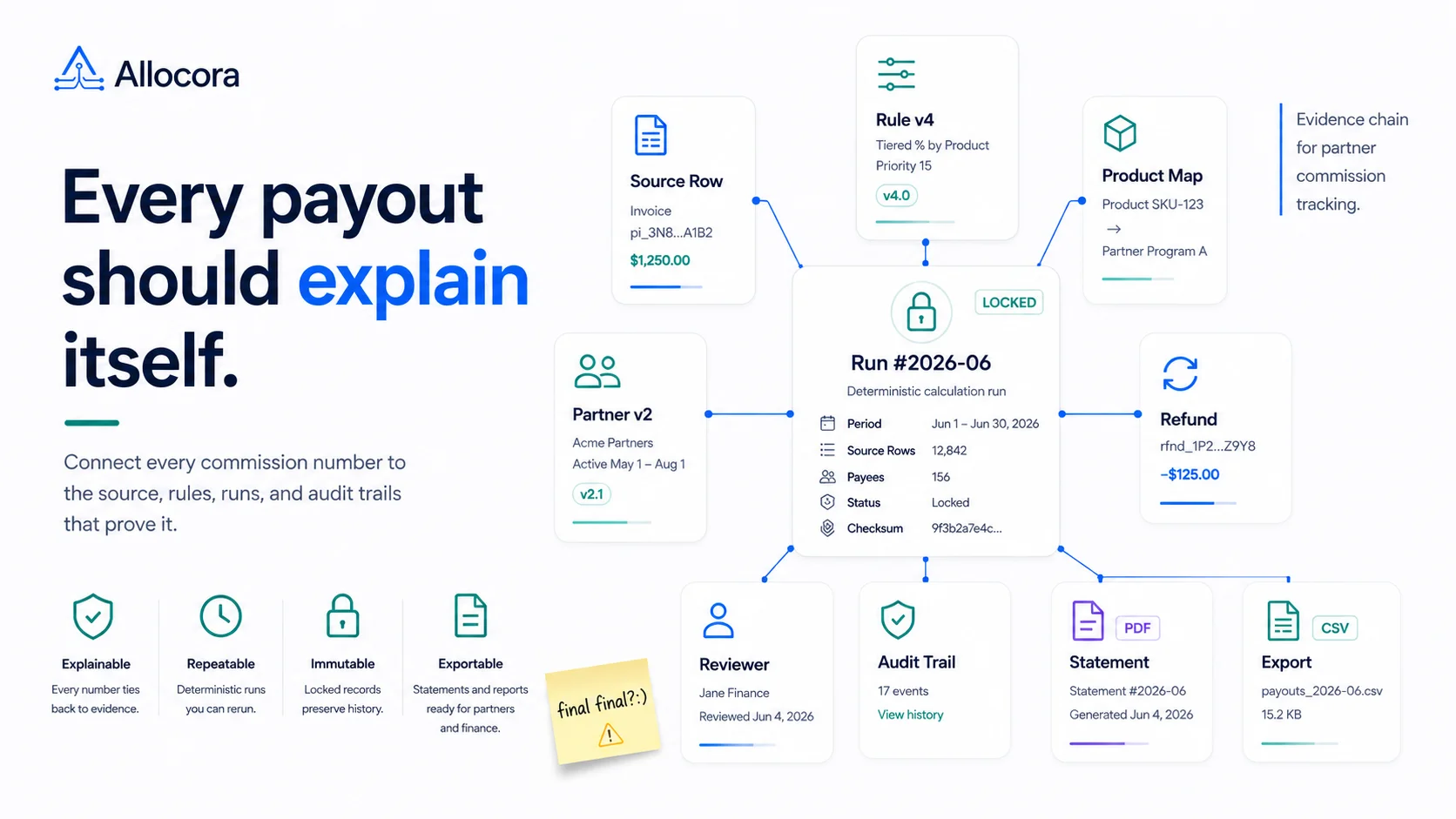
Partner commission tracking becomes difficult when it is treated as a running balance. A balance can tell you what someone is owed, but it does not explain why. For a finance team, "why" is the important part: which source revenue rows were included, which rule applied, which payee version was active, what changed since the last period, and what artifact was exported for review.
That is the difference between basic commission tracking and governed partner payout operations.
Allocora is built around this distinction. It calculates and governs payouts from Stripe and CSV revenue data, creates deterministic calculation runs, preserves immutable snapshots, and produces structured exports and statements. It does not move money. The product sits between raw revenue and payout execution, where partner commission tracking needs control.
This article explains what partner commission tracking should include once commissions become operational.
A commission tracker should connect every number to evidence
The final partner commission amount is only useful if the team can trace it. A partner may ask why a product line was included. Finance may ask whether a refund was deducted. Operations may ask why two partners matched the same revenue row. A reviewer may ask which rule version was active when the run was created.
A good partner commission tracking workflow should answer those questions without rebuilding the calculation.
The evidence chain should include:
- Source revenue row.
- Revenue source.
- Product or external product mapping.
- Partner or payee.
- Rule version.
- Rule priority and matching details.
- Allocation amount.
- Retained remainder, if the rule does not allocate 100 percent.
- Calculation run.
- Statement or export artifact.
Allocora's implemented calculation pipeline is designed to preserve this chain. Revenue rows are stored as immutable financial facts. Payees and rules use versioned models. Rule simulation and calculation runs use shared rule evaluation logic. Calculation items persist outputs and explanations. Exports and statements are generated from completed or locked run data.
That is what makes commission operations defensible.
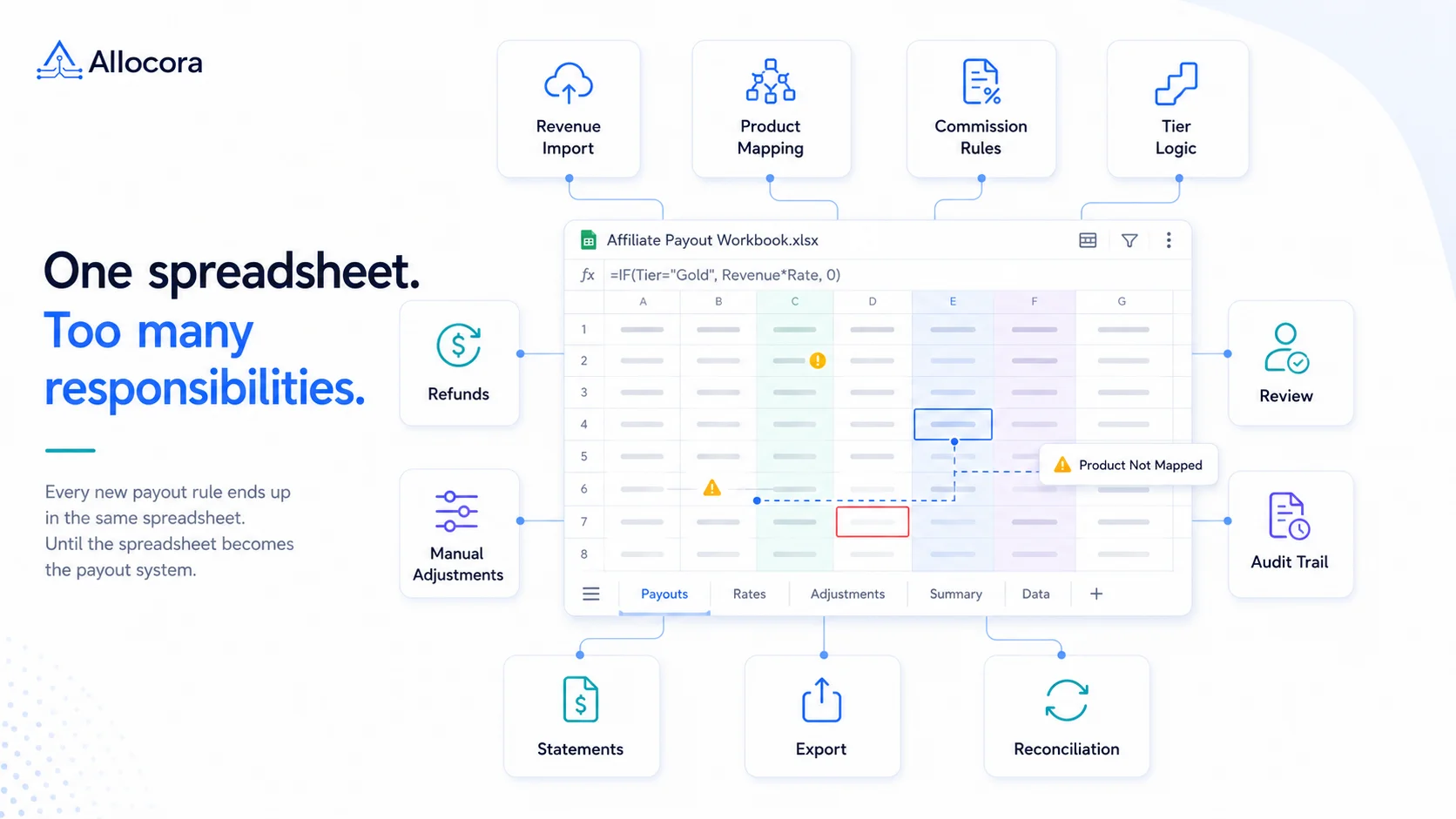
Why spreadsheets fail as partner programs grow
Spreadsheets work when commission operations are small, infrequent, and not audited.
Common spreadsheet failure modes include:
- Formula drift between periods.
- Hidden manual edits.
- Partner-specific tabs that no one reviews consistently.
- Copy-paste statement creation.
- Product mappings maintained in side sheets.
- Refunds and adjustments tracked outside the main calculation.
- No stable record of what changed after close.
Allocora's comparison of spreadsheets and governed payout workflows makes the same point: spreadsheets are useful for quick, free-form analysis, but they are not a payout system. When the same payout workflow repeats every month, the team needs a stronger record than "final_final.xlsx."
A commission workflow should be built for recurrence. It should assume the team will need to rerun, compare, audit, and explain the same logic later.
Versioned payees and rules keep history intact
Partner terms change. A partner may move from one commission tier to another. A revenue-share agreement may update at the start of a quarter. A product-specific rate may expire. A payee may become inactive.
If commission tracking updates the current row in place, the past becomes ambiguous. A calculation from March may appear to use a partner term that was only created in April.
Allocora avoids this by using versioned payees and versioned rules. A payee has a stable identity row and immutable version history. Rules also have immutable versions. Creating, updating, toggling, or changing priority creates a new rule version rather than rewriting prior history.
For recurring commission operations, versioning solves several problems:
- Historical runs keep the terms they used.
- New terms can apply to future runs without rewriting the past.
- Rule changes are visible in review.
- Disputes can reference the specific version used.
- Finance can compare period-over-period changes more cleanly.
This turns commission tracking into an audit-ready workflow.
Rule simulation should happen before close
Commission reviews are safer when operators can simulate outcomes before committing to a run. Simulation helps teams test whether a rule matches the expected revenue, whether a priority decision is correct, and whether allocations look right before month-end outputs are generated.
Allocora's rule simulation uses the shared RuleEvaluator service, the same source of truth used by the calculation engine. It returns matched rule versions, tie-break reasoning, per-payee allocation math, metadata condition traces, and explanation payloads. The confirmed matching dimensions include date validity, revenue source, product, territory, and metadata conditions.
That matters because simulation is not a separate toy calculator. It is a review surface for the actual rule logic.
Teams should use simulation when:
- Adding a new partner.
- Changing a rate.
- Introducing a tier.
- Applying product-specific logic.
- Reviewing metadata-based conditions.
- Investigating a partner's expected payout before close.
The best commission platforms make this preview step part of operations, not an optional afterthought.
Deterministic runs turn tracking into a close artifact
Once a partner commission run is created, the output should be stable. Allocora's product language emphasizes deterministic calculation runs: the same inputs and rules produce the same results. That is the opposite of spreadsheet drift, where formulas and references may change without a clear event trail.
In Allocora, calculation runs go through a lifecycle. Inputs are validated, product mapping gates are checked, rule conflicts are detected, snapshot metadata is created, jobs execute calculations, and line-item outputs are persisted. Completed runs can be reviewed, locked, exported, and used for statement generation.
Deterministic runs create a clean handoff:
- Operations prepares the inputs.
- Finance reviews the run.
- Stakeholders approve or lock the output when appropriate.
- Statements and exports come from the same source of truth.
- Payout execution happens outside Allocora through the team's existing process.
This reduces the risk that partner statements, payout files, and internal review totals disagree.
Teams evaluating payout calculations alongside payment execution may also want to understand the difference between payout rails and payout calculation software.
Audit trails should cover more than final exports
An audit trail is not only a log of who downloaded a CSV. It should cover the events that affect the commission outcome.
Allocora provides audit coverage across payees, rules, products and mappings, revenue sources, revenue imports, calculation lifecycle, exports, integrations, and user profile updates.
For example:
- A product mapping change can alter which rule matches.
- A rule priority update can change the selected rule.
- A revenue import can add rows to a close period.
- A Stripe sync can create refund rows.
- A payee version can change statement settings.
- A calculation run can be approved, locked, or unlocked.
The process is only reliable when those changes are visible. A final payout total without context is not enough.
This becomes even more important when commission tracking has already outgrown spreadsheets. We covered those warning signs in Replace Spreadsheet Commission Tracking Before Month-End Breaks.
Partner statements make the tracking useful outside finance
A partner does not need access to every internal audit event. They need a clear statement that explains the payout. Allocora supports payee statement generation from locked calculation runs, including summary statements and product-level statement modes. The statement data is snapshot-safe, which means payee and product names used in statement content are frozen from calculation-time data.
That is an important detail for trust. If a product is renamed later, the historical statement should not change. The partner should see the same period output that finance reviewed.
A mature commission workflow should produce statements that are:
- Consistent across periods.
- Connected to the calculation run.
- Detailed enough for review.
- Easier than manual PDF creation.
- Safe from later name drift.
When statements are generated from the run, they become part of the governed workflow rather than a manual communications task.
Tracking should include exceptions
Commission operations also need a place for exceptions. Refunds, adjustments, unmapped products, inactive payees, and rule conflicts can all affect the final amount. If the tracker only displays clean payouts, operators still need a separate process for the cases that make close difficult.
Allocora surfaces several of these exception classes through its workflow: import validation errors, product mapping gates, rule conflict detection, source sync statuses, and calculation run failures. That helps teams review blockers before producing statements or exports.
Launch takeaway
Partner commission tracking should not stop at a balance table. A serious workflow needs source revenue, product mapping, versioned partners, versioned rules, simulation, deterministic runs, audit trails, statements, and structured exports.
Those are the workflows Allocora is designed to support. It is a self-serve calculation and governance layer for teams that already have revenue data and need to turn it into payout evidence before money moves.
For teams launching partner payouts, the operating principle is clear: track the proof, not just the payout.
Related Articles
 Monthly Affiliate Payout Spreadsheet: Required Fields, Controls, and Review Flow
Structure a monthly affiliate payout spreadsheet with source fields, refund adjustments, review controls, export checks, and a clear path to governed payout runs.
Jul 22, 2026 - 5 min read
Monthly Affiliate Payout Spreadsheet: Required Fields, Controls, and Review Flow
Structure a monthly affiliate payout spreadsheet with source fields, refund adjustments, review controls, export checks, and a clear path to governed payout runs.
Jul 22, 2026 - 5 min read
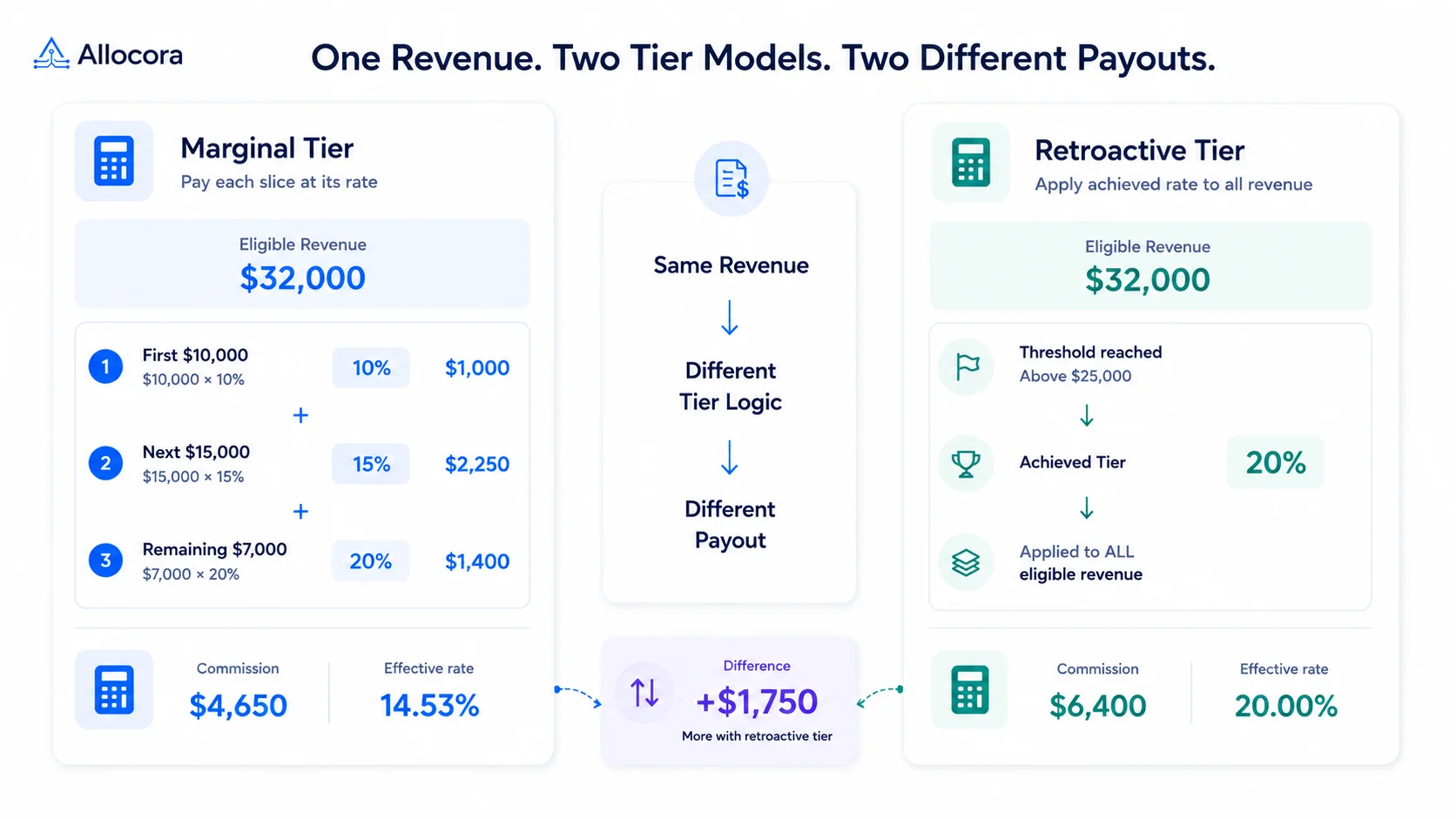 How to Calculate Tiered Affiliate Commissions Without Spreadsheet Errors
A practical guide to tiered affiliate commission math, including marginal tiers, retroactive tiers, refund holds, examples, and review controls.
Jul 16, 2026 - 6 min read
How to Calculate Tiered Affiliate Commissions Without Spreadsheet Errors
A practical guide to tiered affiliate commission math, including marginal tiers, retroactive tiers, refund holds, examples, and review controls.
Jul 16, 2026 - 6 min read
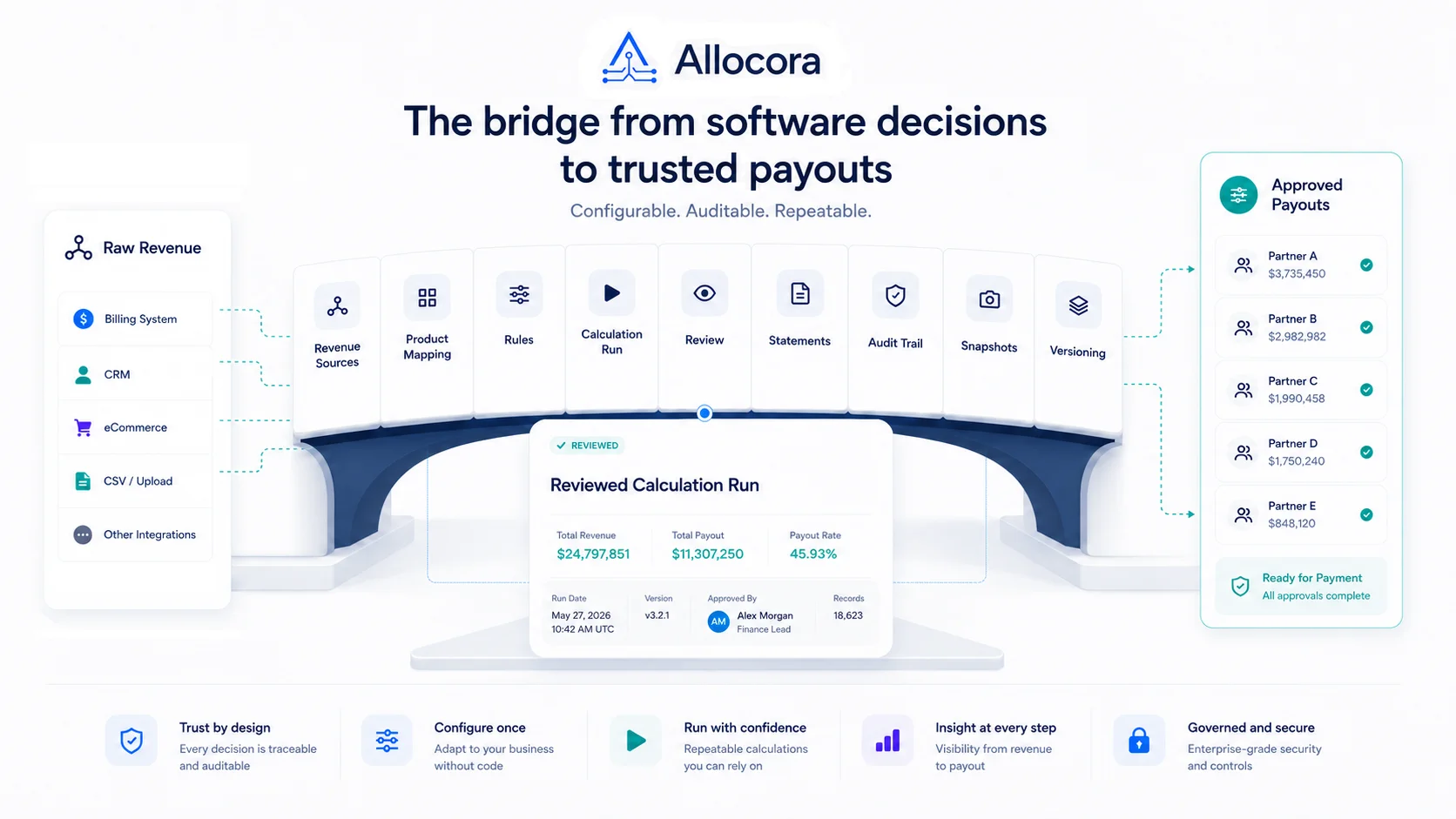 How to Calculate Affiliate Commissions From Stripe Revenue
A practical close guide for teams that use Stripe revenue data and need a reviewable affiliate commission process before payout files are sent.
Jul 14, 2026 - 8 min read
How to Calculate Affiliate Commissions From Stripe Revenue
A practical close guide for teams that use Stripe revenue data and need a reviewable affiliate commission process before payout files are sent.
Jul 14, 2026 - 8 min read