
How to Calculate Affiliate Commissions From Stripe Revenue
A practical close guide for teams that use Stripe revenue data and need a reviewable affiliate commission process before payout files are sent.
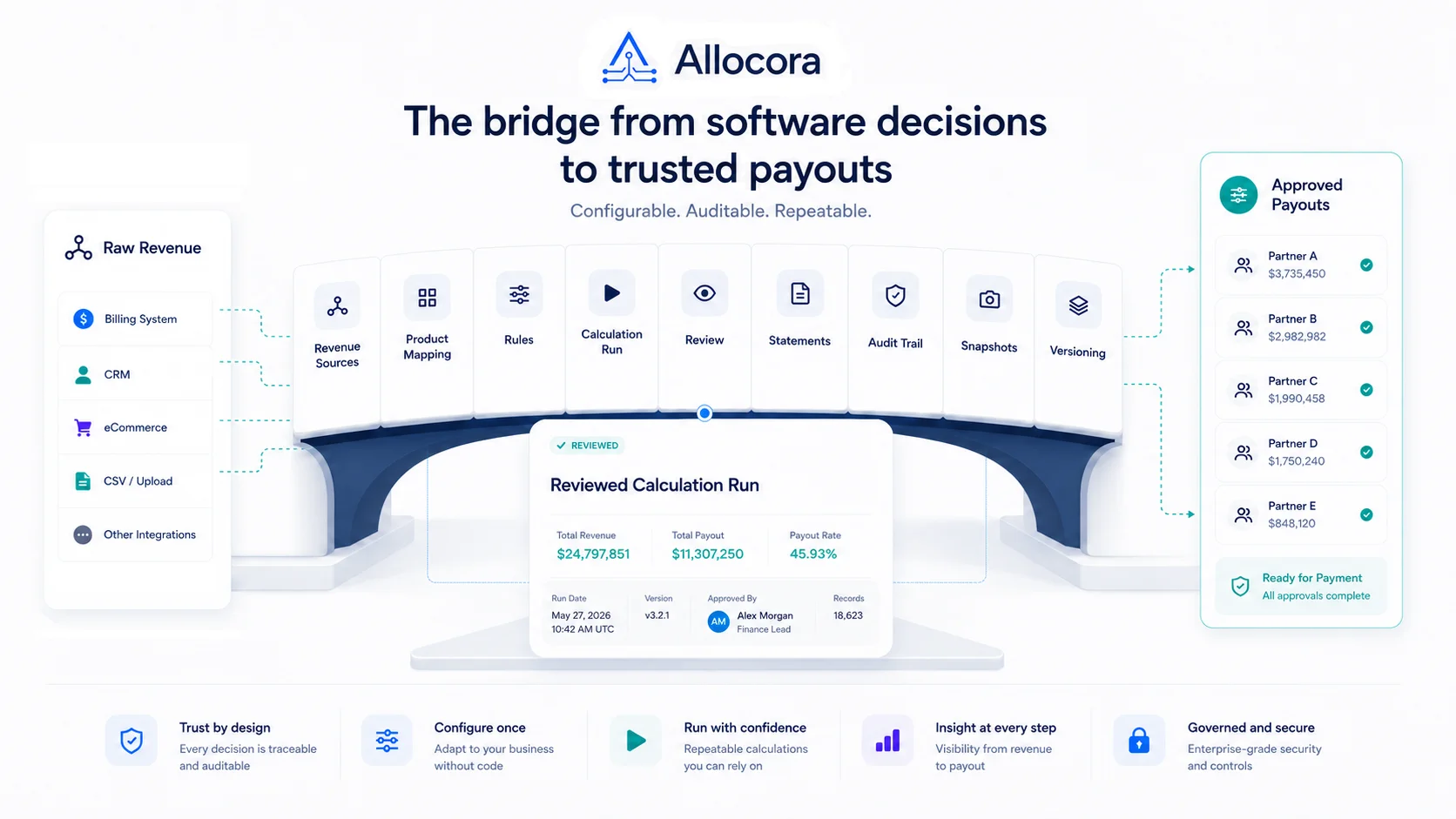
Stripe is often the revenue source for SaaS affiliate commission calculations. It has the charges, refunds, invoices, balance transactions, and account context that finance teams need to start a payout run. But Stripe revenue data alone is not the same as a governed affiliate payout close.
Affiliate commission automation needs a layer that imports revenue, maps products, applies partner rules, calculates allocations, preserves evidence, and exports reviewed outputs before money moves.
That is where Allocora fits. Allocora pulls Stripe or file-based revenue into governed calculation runs. It applies allocation rules, creates deterministic outputs, preserves immutable snapshots, and produces statements and exports. Allocora does not move money. It complements Stripe Connect and other payout rails by preparing the calculation evidence before transfer execution.
Stripe works best as the revenue source. Commission logic belongs somewhere else.
Stripe is the revenue source, not the whole commission workflow
Stripe can provide revenue events. Affiliate commission logic usually lives somewhere else. A partner agreement might define:
- A percentage of recurring subscription revenue.
- Different rates by product.
- A tiered rate after a revenue threshold.
- Clawback treatment for refunds or cancellations.
- Eligibility windows.
- Payee-specific overrides.
- Product or campaign metadata conditions.
Those terms are commission rules, not payment processor settings. If they stay in a spreadsheet, the team still has a manual payout workflow even if the source revenue comes from Stripe.
Allocora separates these responsibilities:
- Stripe supplies revenue data.
- Allocora governs allocation logic and calculation evidence.
- Your payout rail or finance process executes payment after review.
That separation keeps the affiliate payout process reviewable.
What Allocora currently does with Stripe revenue
The repository confirms that Allocora supports Stripe API-key integration using a per-organization restricted API key and account ID. It stores the key encrypted on the integration record, validates the credentials, and ensures one active Stripe revenue source for the current account. Stripe sync is dispatched as a queued job.
Stripe ingestion writes normalized revenue rows append-only. Existing rows are not overwritten. Rows are idempotent by organization, source, and external transaction ID. Refund and reversal-like Stripe events are classified into refund or adjustment revenue types and preserved as separate records. The current product also enforces a single-currency policy per organization for Stripe sync.
For affiliate commission automation, those details matter because payout math depends on stable source data. A commission system should not silently mutate prior revenue facts.
The confirmed Stripe workflow gives teams:
- A durable Stripe revenue source.
- Append-only revenue records.
- Refund and adjustment handling.
- External product identifier extraction.
- Product mapping creation for newly discovered identifiers.
- Async sync status tracking.
- Audit entries around integration credential changes and sync lifecycle.
That is a stronger base than copying Stripe exports into a workbook.
Product mapping is the bridge between Stripe data and payout rules
Stripe revenue rows may reference external product identifiers. Affiliate commission rules often depend on internal product definitions. The system needs a reliable bridge between the two.
Allocora creates external product mappings when it detects new identifiers. Operators can map, remap, ignore, unignore, and merge mappings through versioned flows. The calculation gate can block runs when unmapped identifiers are in scope for the selected period and revenue sources.
This prevents a common commission automation failure: calculating payouts before source data is fully mapped.
For example, if a Stripe transaction references a product identifier that has not been mapped to an internal product, a spreadsheet might treat it as blank or route it through a fallback formula. Allocora makes unmapped products visible before calculation.
That is important for affiliate commissions because product-specific rates are common. If the product is unknown, the rule match may be wrong. We looked at this review process in more detail in Rule Simulation for Payout Calculations Before Close.
Affiliate rules should live outside Stripe
Stripe is not the right place to own all affiliate payout rules. Commission terms are business logic. They need versioning, simulation, priority handling, and audit review.
Allocora supports versioned rules with flat and tiered allocation types. Rules can match on dimensions such as date validity, revenue source, product, territory, and metadata conditions. Tie-break behavior uses specificity, priority, and effective date. Conflicts can block calculations when active rules are ambiguous in the selected run scope.
That means affiliate commission automation can handle more than a single fixed percentage.
Examples include:
- A partner receives 10 percent on one product and 12 percent on another.
- A tiered commission structure changes after a revenue threshold.
- A rule only applies to revenue from the Stripe source.
- A metadata condition changes rule eligibility.
- A newer rule starts on a specific date without rewriting prior runs.
The important part isn't where the percentage comes from. It's that the rule is reviewable, versioned, and tied to the calculation.
Simulation reduces payout surprises
Before closing a commission period, teams should simulate rule outcomes. Allocora's rule simulation uses the same evaluation service as the calculation engine. It returns matched rule versions, allocation math, tie-break reasoning, and metadata predicate traces.
This is useful when automating Stripe affiliate commissions because Stripe revenue can include refunds, adjustments, plan changes, and multiple products. Simulation helps identify whether the rule logic behaves as expected before a final run is created.
Use simulation before:
- Launching a new affiliate plan.
- Adjusting tier rates.
- Adding product-specific terms.
- Reviewing refund treatment.
- Changing rule priority.
- Closing the month.
Automation works best when it speeds up review instead of replacing it.
The calculation run is the review point
After Stripe revenue is imported and rules are configured, Allocora creates calculation runs. A run validates inputs, checks product mapping gates, checks rule conflicts, snapshots active rules and mapping context, executes calculation jobs, and persists line-item results.
This run is the review point before payout execution.
Finance can ask:
- Which Stripe rows were included?
- Which payees matched?
- Which rules applied?
- Which refunds or adjustments affected totals?
- Was the run completed, approved, or locked?
- What exports were generated?
That is a better review model than using Stripe as the only source of truth for both revenue and payout logic. The same review model is what creates a durable payout audit trail.
Allocora complements Stripe Connect
Allocora's Stripe Connect comparison page states the boundary plainly: Stripe Connect moves money; Allocora makes the math correct before money moves. Stripe Connect handles account onboarding, identity verification, compliance workflows, actual money movement, platform payout execution, and transfer reporting. Allocora handles complex allocation logic, deterministic reproducibility, rule simulation, immutable audit trails, structured statements, close artifacts, and governance before payout.
The tools are complementary.
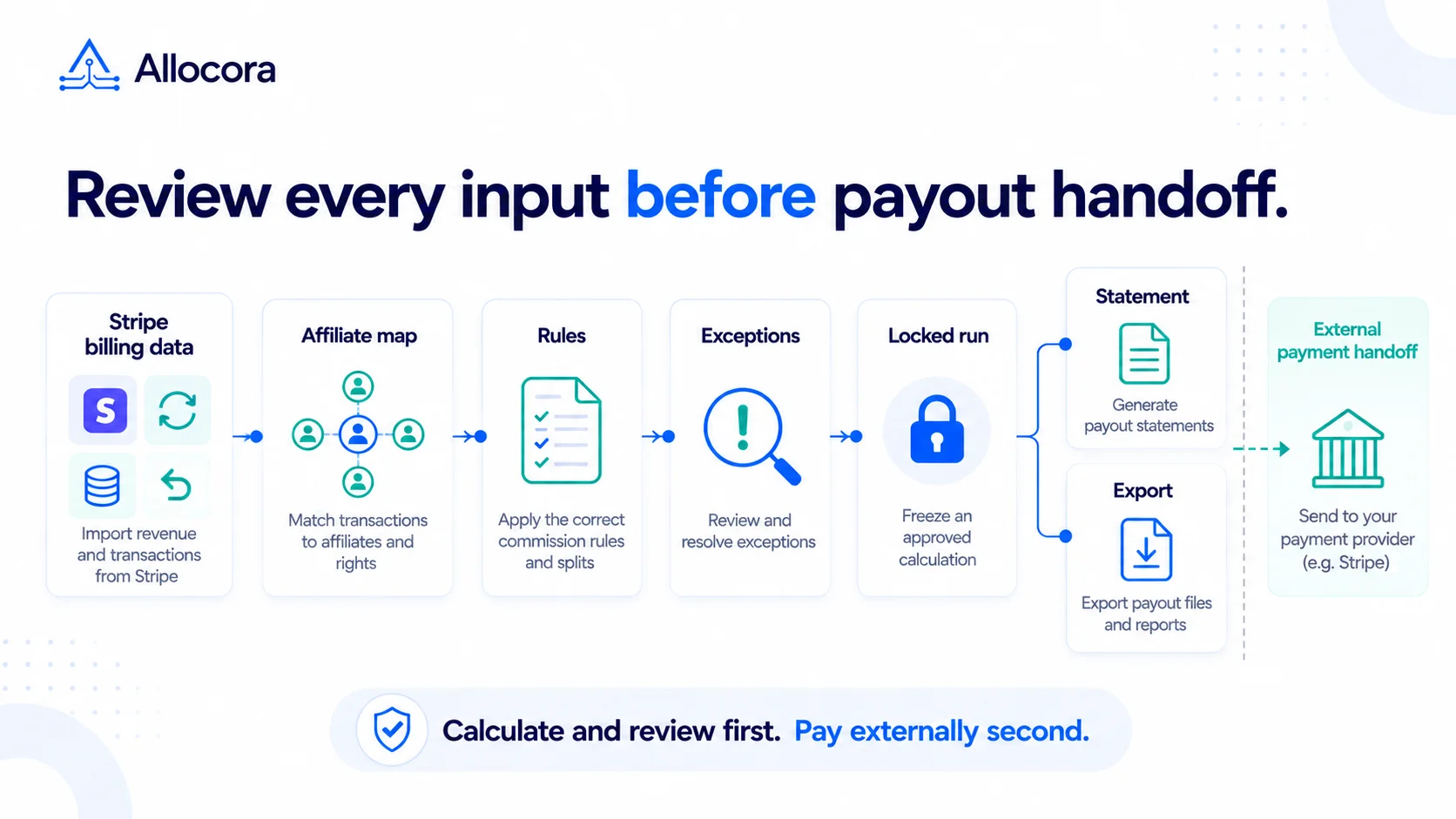
A typical workflow is:
- Stripe revenue is imported into Allocora.
- Allocora applies affiliate commission rules.
- The team reviews and locks the calculation run.
- Allocora generates statements and payout-ready exports.
- The payout rail or finance workflow handles actual payment.
This keeps money movement separate from calculation governance. We explored that category boundary in Payment Processors vs Settlement Ledgers: Why They Are Not the Same.
Statements close the loop with partners
Affiliate commission automation is incomplete if partners only receive a payment. Partners need statements that explain the amount.
Allocora supports per-payee statements generated from locked calculation runs. It can produce summary and product-level statements, store PDF artifacts, generate batch ZIPs, and create share URLs or email delivery records. The statement content uses snapshot-safe payee and product names from calculation-time data.
For Stripe affiliate workflows, statements can show the partner-facing result while preserving the internal calculation evidence.
That helps with:
- Partner questions.
- Dispute review.
- Finance handoff.
- Month-end close.
CSV imports still matter in a Stripe workflow
Even when Stripe is the primary revenue source, teams often keep file-based inputs around. A partner program may need historical backfills, manual adjustments, exported subscription data, or non-Stripe revenue. Allocora supports CSV/XLS/XLSX ingestion alongside Stripe, including preview, column mapping, validation, and queued import processing.
That makes the workflow more flexible without returning to spreadsheet-based calculation. Stripe can remain the main source, while file imports cover controlled exceptions that still flow through the same product mapping, rule, run, statement, and export process.
Keep payout execution downstream
Automation should not mean skipping payout review. Even if Stripe is the revenue source and Stripe Connect is the payout rail, the commission amount should be reviewed before transfer execution. Allocora's role is to create the governed calculation layer between those two steps.
That boundary helps teams avoid mixing billing data, commission logic, and payment execution into one opaque workflow.
What to automate first
Teams should not try to automate every edge case on day one. Start with the highest-value path:
- Connect Stripe as a revenue source.
- Confirm revenue imports and currency settings.
- Map detected products.
- Create payees for affiliate partners.
- Define the core commission rules.
- Simulate sample outcomes.
- Run a test period.
- Compare output to the existing spreadsheet.
- Lock a reviewed run.
- Generate statements and exports.
Once this path works, add more specific product rules, metadata conditions, and review workflows.
Launch takeaway
Stripe affiliate commission automation works best when Stripe is the source of revenue, not the owner of every payout rule. Allocora provides the governed calculation layer: product mapping, versioned rules, deterministic runs, immutable snapshots, statements, and structured exports.
This guide is the implementation sequence. For the software workflow and operational close, use the Stripe affiliate commission software for finance teams.
Related Articles
 Stripe Revenue-to-Affiliate Payout Close Checklist
Review Stripe revenue for affiliate commission close: choose the ingestion path and date policy, verify mappings and corrections, lock the calculation, and prepare the external payment handoff.
Sep 24, 2026 - 6 min read
Stripe Revenue-to-Affiliate Payout Close Checklist
Review Stripe revenue for affiliate commission close: choose the ingestion path and date policy, verify mappings and corrections, lock the calculation, and prepare the external payment handoff.
Sep 24, 2026 - 6 min read
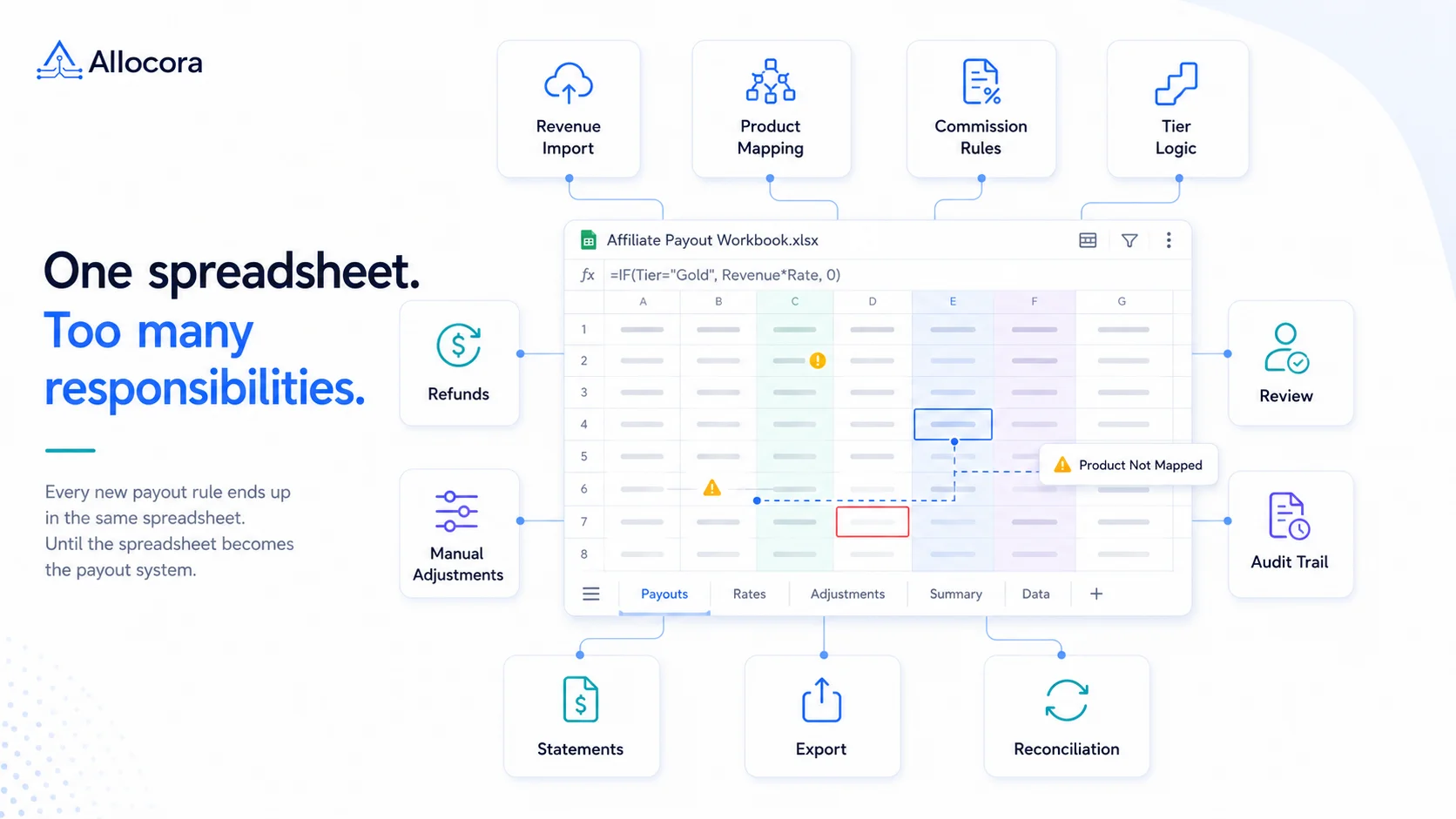 Monthly Affiliate Payout Spreadsheet: Required Fields, Controls, and Review Flow
Structure a monthly affiliate payout spreadsheet with source fields, refund adjustments, review controls, export checks, and a clear path to governed payout runs.
Jul 22, 2026 - 5 min read
Monthly Affiliate Payout Spreadsheet: Required Fields, Controls, and Review Flow
Structure a monthly affiliate payout spreadsheet with source fields, refund adjustments, review controls, export checks, and a clear path to governed payout runs.
Jul 22, 2026 - 5 min read
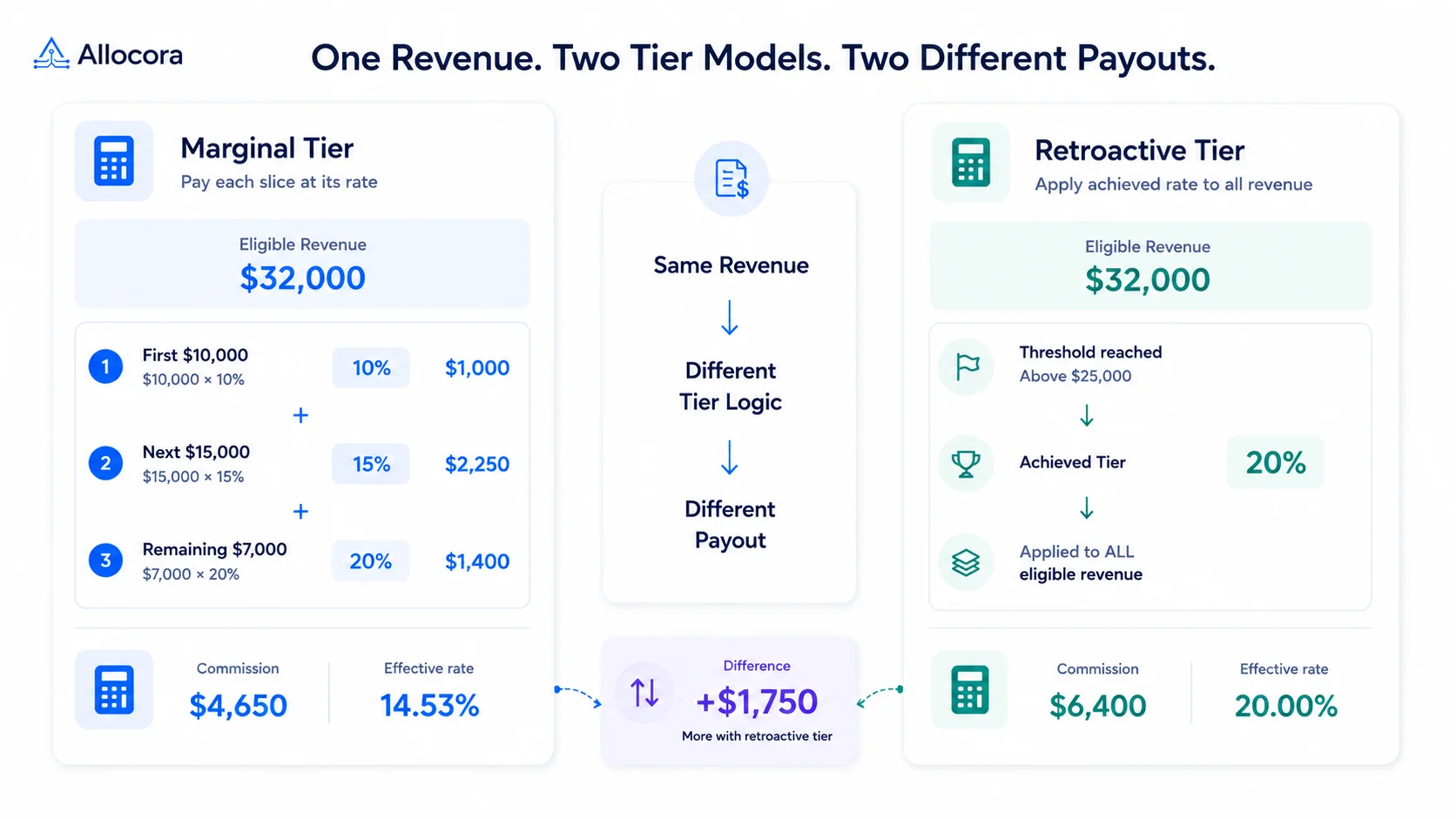 How to Calculate Tiered Affiliate Commissions Without Spreadsheet Errors
A practical guide to tiered affiliate commission math, including marginal tiers, retroactive tiers, refund holds, examples, and review controls.
Jul 16, 2026 - 6 min read
How to Calculate Tiered Affiliate Commissions Without Spreadsheet Errors
A practical guide to tiered affiliate commission math, including marginal tiers, retroactive tiers, refund holds, examples, and review controls.
Jul 16, 2026 - 6 min read