How to Automate Revenue Splits Without Spreadsheet Chaos
A practical guide for teams replacing fragile revenue split spreadsheets with governed, repeatable settlement workflows.
Revenue split automation starts to matter when a spreadsheet stops being a worksheet and becomes the system of record for who gets paid. That usually happens once the same calculation has to cover multiple payees, products, or agreements.
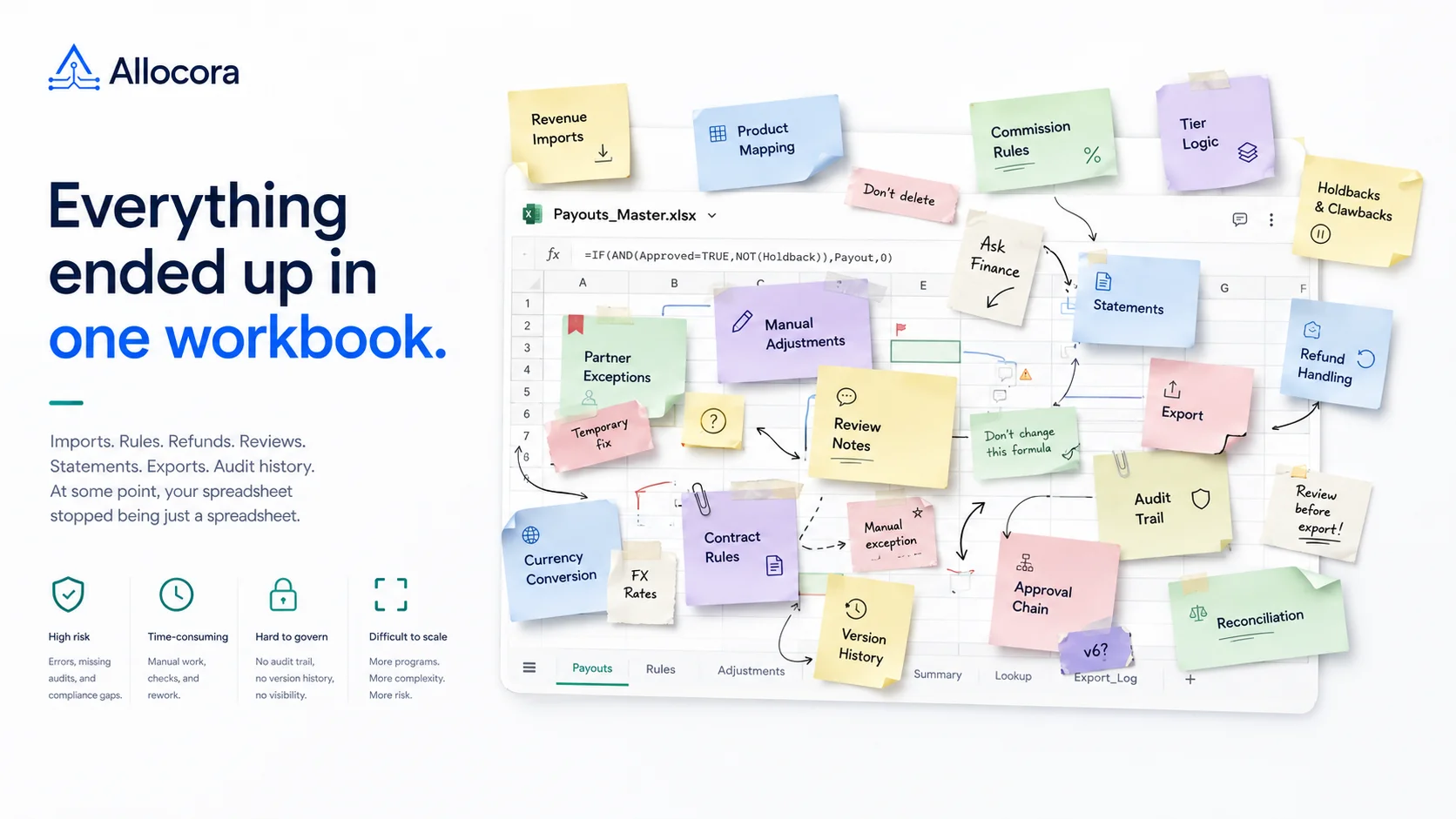
The first spreadsheet usually works. It has a source export, a few payees, a rate table, and a final total. The problem appears when the workflow repeats every month. Products change. Partners change. Refunds arrive. Someone eventually needs to explain which formula was used last quarter.
Allocora is designed for this gap. Instead of spreading the process across multiple worksheets, it keeps revenue allocation inside one governed workflow before money moves.
This article explains how to automate revenue splits without recreating spreadsheet chaos inside a new tool.
Why revenue split spreadsheets break as volume grows
Revenue split spreadsheets usually fail because recurring payout work demands controls that a workbook does not provide. Spreadsheets are useful for early modeling, quick analysis, and one-off calculations. They become risky when they hold recurring payout logic.
For teams still operating the process in a workbook, the monthly affiliate payout spreadsheet guide explains which fields and review controls should remain separate.
Common failure points include:
- Hidden formulas that change without review.
- Duplicate workbook versions.
- Product mappings maintained in side tabs.
- Payee terms copied between sheets.
- Refunds and adjustments handled manually.
- Statement PDFs created outside the calculation.
- No audit log for rule changes.
- No reliable way to rerun a prior period.
Each issue creates a gap between the source revenue and the final payout. As the gap grows, the final number becomes harder to explain.
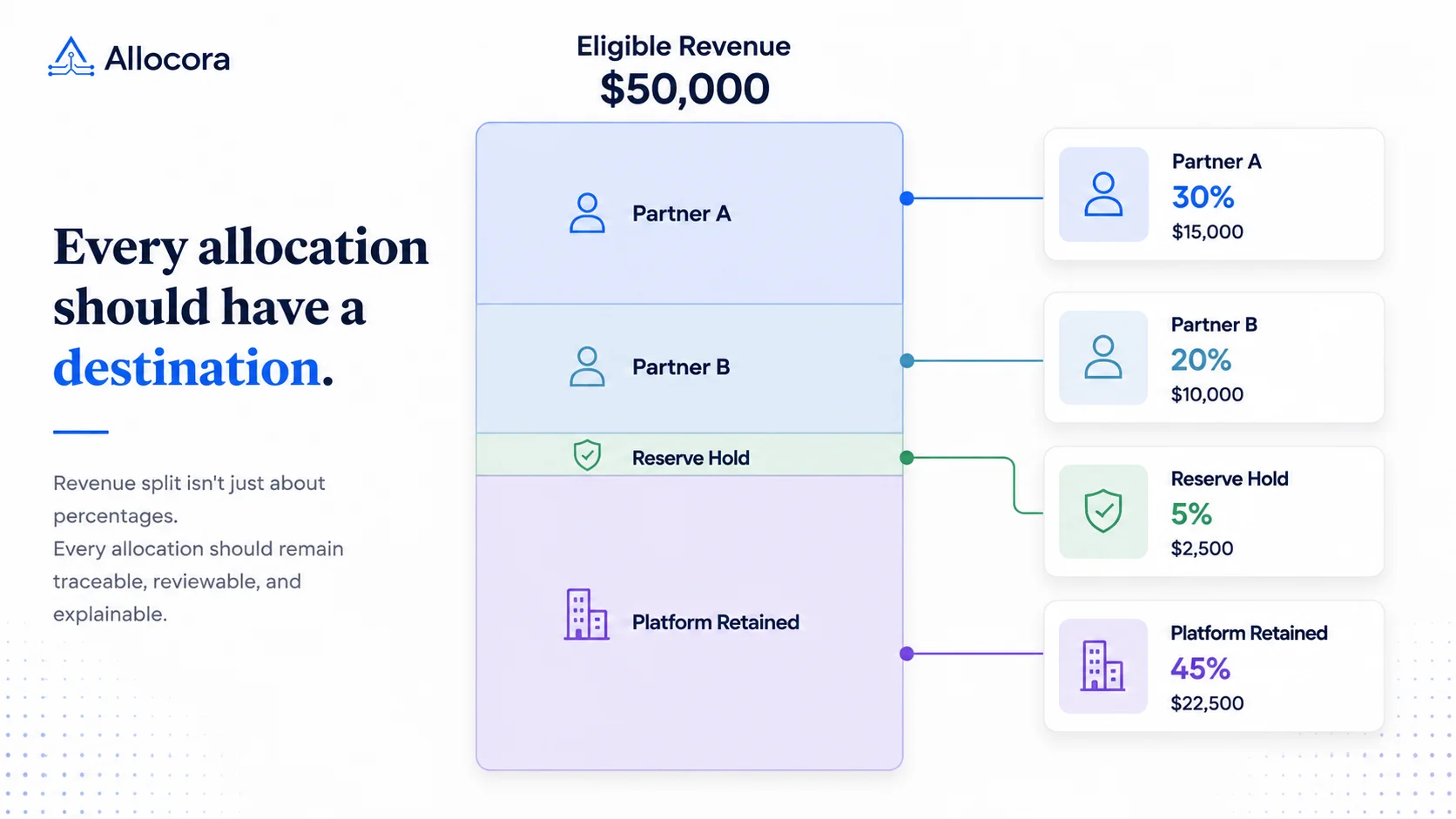
Revenue split automation should close that gap. The real value is a repeatable workflow where each split can be traced from source data to rule, calculation run, statement, and export.
Start with controlled source revenue
Every revenue split starts with source data. If source rows are inconsistent, the split logic will be unreliable.
Allocora supports Stripe and CSV/XLS/XLSX revenue ingestion. Stripe ingestion stores normalized revenues append-only and idempotent by organization, source, and external transaction ID. File imports use preview and confirm flows, support column mapping, validate row-level errors, and persist canonical revenue facts. Manual transaction entry also writes immutable revenue rows.
For revenue split automation, this means source rows should be treated as facts, not editable scratch data. Refunds and adjustments should remain distinct transaction types, while product identifiers should be mapped deliberately rather than inferred by a formula.
The source layer should answer:
- Which revenue source produced the row?
- What external ID identifies the transaction?
- What product or external identifier is attached?
- What currency applies?
- Is the row a sale, refund, or adjustment?
- Has this exact source file already been imported?
These checks prevent incomplete or ambiguous source data from reaching the calculation.
Map payees and products before calculation
Spreadsheet workflows often rely on lookup tables to map products, partners, creators, contractors, or vendors. Those tables become fragile when identifiers change or new products appear.
Allocora supports external product mapping. Newly discovered identifiers can create unmapped mapping records. Operators can map, remap, ignore, unignore, and merge mappings through versioned flows. Calculations can be blocked when unmapped identifiers are in scope for the selected period and revenue sources.
That mapping gate matters. A revenue split should not run silently when product context is missing. If the correct split depends on product or source, an unmapped identifier is not a harmless blank. It is a calculation risk.
Payees should also be explicit objects. Allocora uses versioned payees, so payee updates create history rather than rewriting current state. That makes it easier to understand who was eligible during a past calculation period.
Replace formulas with versioned rules
The next step is moving formula logic into governed rules.
Allocora supports flat and tiered allocation rules, metadata conditions, priority handling, effective dates, and immutable rule versions. Tiered structures need particular care because marginal and retroactive affiliate commissions can produce very different results from the same revenue total. A rule can represent a default split, a partner-specific allocation, a tiered threshold, product-specific logic, or a metadata-scoped condition.
Versioning is essential because payout logic changes over time. A partner may move to a new tier or a marketplace may introduce a different fee structure. Historical calculations should continue using the rule version that was active at the time.
Overwriting a rule makes historical calculations ambiguous. Creating a new version preserves the logic used by earlier runs.
A reviewer should never have to guess:
- which payee the rule affects;
- which revenue it applies to;
- which allocation type is used;
- when the rule becomes effective;
- how conflicts are resolved;
- and what changed from the previous version.
Together, these details make the calculation reviewable without reopening the original spreadsheet.
Simulate rule outcomes before close
Automation should not remove review. It should make review more reliable.
Allocora includes rule simulation using the same rule evaluator as the calculation engine. Simulation can explain which rule matched, how the allocation was calculated, and why alternative rules were rejected.
This makes simulation useful before every close period. Operators can test representative revenue rows, check whether rules match as expected, and correct scope or priority issues before final calculation.
Use simulation when:
- Adding a new payee.
- Changing a split percentage.
- Introducing a tiered rule.
- Applying product-specific logic.
- Using metadata conditions.
- Reviewing refund or adjustment behavior.
Spreadsheet teams often test this by spot-checking formulas manually. Simulation turns the same check into a repeatable control.
Create deterministic calculation runs
The calculation run is the formal record of the split.
Before a calculation starts, Allocora validates the selected sources, product mappings, rule conflicts, and currency context. Each run then records the exact revenue scope and configuration used for the calculation. Completed runs can be reviewed, locked, exported, and used for statement generation.
This creates a clean close artifact. The team can reference a specific run instead of a workbook version.
This is also why immutable calculation runs matter: later rule or mapping changes should not rewrite the evidence behind an approved period.
A good revenue split run should preserve:
- Period and source scope.
- Rule version context.
- Mapping snapshot context.
- Revenue query context.
- Calculation line items.
- Payee totals.
- Remainder or retained amounts.
- Status and audit history.
When the run is deterministic, the same inputs and rules produce the same output. A deterministic run can therefore be reproduced without relying on the state of a working spreadsheet.
Generate statements and exports from the run
The workflow is not complete until the output is usable. Payees need statements. Finance needs exports. Operators need evidence for review.
Allocora supports payee statement generation from locked calculation runs. Statements can be summary or product-level PDFs, with batch ZIP generation, share URLs, and email delivery records. The statement data is snapshot-safe, so historical statements do not change after later payee or product renames.
Allocora also supports structured exports for calculation runs, revenue summaries, payee totals, statement summaries, product statements, detailed statements, and auditor bundles.
The key principle is alignment: statements and exports should come from the same calculation run the team reviewed. They should not be manually rebuilt after the fact.
The partner settlements workflow shows how calculation review, statements, export, and reconciliation can remain connected after the split is approved.
Keep Excel where it still belongs
Spreadsheets still have a useful role in early modeling, ad-hoc analysis, and quick scenario sketches. Recurring, partner-facing, or auditable calculations need a more controlled workflow.
Use this rule:
- Keep Excel when the calculation is exploratory.
- Move to Allocora when the calculation becomes a close workflow.
The Allocora vs spreadsheets comparison provides a more detailed way to assess when that transition is justified.
That keeps the business flexible without letting a workbook become ungoverned infrastructure.
Migration checklist
To move from a revenue split spreadsheet to Allocora:
- Identify each revenue source tab.
- List every payee and current term.
- Identify product or external ID lookup tables.
- Convert formulas into named rules.
- Import a known period of revenue.
- Map products and payees.
- Simulate representative rows.
- Run a historical calculation.
- Compare output against the spreadsheet.
- Generate statements and exports from the reviewed run.
Start with one close period. A single reproducible run is more valuable than a broad migration that has not been reviewed.
Where Allocora fits
Allocora is revenue allocation and settlement calculation software. It helps teams calculate and explain who gets paid before money moves, while payment execution and tax compliance remain in their existing systems.
Typical workflows include:
- SaaS partner revenue share.
- Marketplace vendor settlements.
- Agency commission splits.
- Royalty-style payout statements.
- Contractor or contributor revenue splits.
The common thread is rules-driven revenue splitting that needs evidence.
Launch takeaway
Successful revenue split automation extends beyond the formulas. Source revenue must stay traceable, rule changes must preserve history, and statements must come from the same calculation the team reviewed.
Allocora provides that settlement workflow while leaving payout execution to the tools you already use. See the complete Revenue Split Automation workflow.