
Royalty Audit Checklist: 10 Steps to Prepare Statements, Evidence, and Payout Records
A step-by-step royalty audit checklist for preparing source revenue, contract rules, statements, payout exports, and reconciliation evidence.
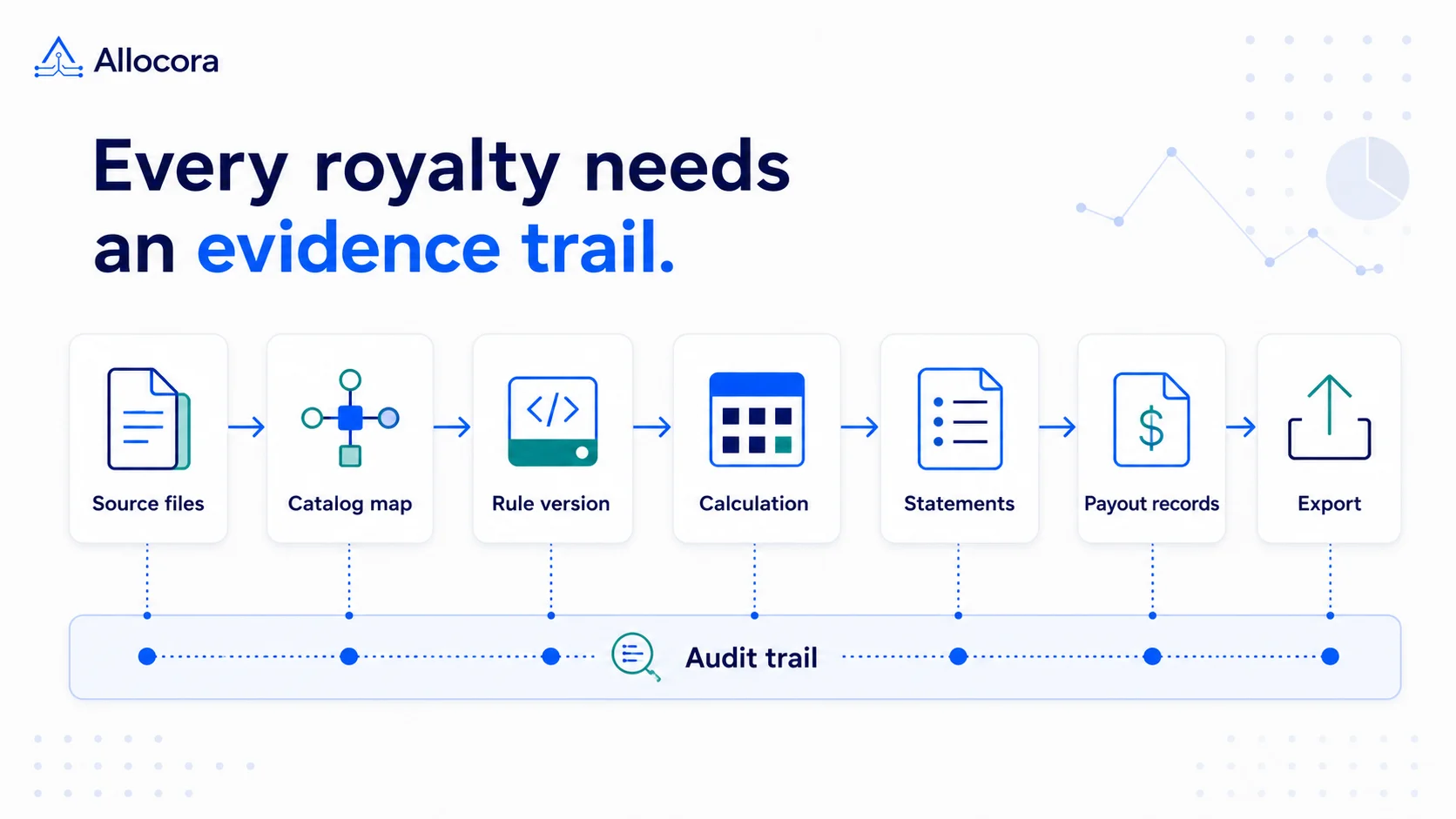
A royalty audit is easier when the close period is already organized around evidence. The hard part is rarely one formula. The hard part is proving which revenue was included, which rules applied, which payees were owed money, which adjustments changed the result, and whether the final payout evidence matches the statements.
This checklist is written for labels, publishers, marketplaces, production libraries, creator platforms, and finance teams that need to prepare royalty statements or payout records for review. It is not legal advice, accounting advice, or a substitute for auditor instructions. It is an operating checklist for making royalty calculations easier to inspect.
1. Confirm the revenue model and included sources
Start by defining the scope of the audit period. A reviewer should be able to answer:
- What period is covered?
- Which revenue sources are included?
- Which sources are excluded?
- Which currency is used?
- Are refunds and adjustments included in the same period or handled separately?
Do not begin with payee totals. Begin with source revenue. If the source data is incomplete, every later statement will be hard to defend.
For a label, sources might include distributor reports, direct sales, sync fees, or platform exports. For a publisher, sources might include store reports, distributor statements, or marketplace exports. For a creator platform, sources might include subscription, marketplace, or partner revenue files.
2. Map contract rules before calculating
Create a rule inventory before running the numbers. For each payee or rightsholder, record:
- Split percentage or rate.
- Effective dates.
- Product or catalog scope.
- Source or territory scope.
- Recoupable advances.
- Recoupable expenses.
- Reserve holdbacks.
- Clawback or refund treatment.
- Minimum payout threshold.
- Notes or contract references.
The goal is not to rewrite every legal document. The goal is to translate the calculation-relevant terms into controlled rules that can be reviewed. For a worked example of revenue, deductions, splits, and recoupment, see How to Calculate Music Royalties.
Versioned rules help keep historical periods tied to the terms that were actually used at calculation time.
3. Normalize identifiers
Royalty audits often fail because identifiers drift. One source might use ISRC, another SKU, another ISBN, and another a platform-specific product ID. If those identifiers are not mapped, the calculation may apply the wrong rule or miss a product entirely.
Build a mapping list for:
- ISRC.
- ISBN.
- ASIN.
- SKU.
- Store product ID.
- Distributor title ID.
- Catalog work ID.
- Payee ID.
For example, Allocora's import workflow separates external_id for transaction identity from external_product_identifier for catalog matching. That distinction helps auditors trace both the source row and the product mapping.
4. Validate source reports
Before calculating, check every source report for basic quality:
- File format.
- Period boundaries.
- Currency.
- Timezone.
- Required columns.
- Duplicate transaction IDs.
- Negative refund rows.
- Signed adjustment rows.
- Missing product identifiers.
- Suspicious spikes or gaps.
If a row cannot be trusted, do not hide it. Put it in a review queue or annotate the issue before calculation.
5. Keep calculation versions
Auditors and payees may ask why a statement changed. You need to know whether the change came from source revenue, mapping, rule logic, payee economics, or a correction run.
Keep a record of:
- Original calculation run.
- Later reruns.
- Adjustment runs.
- Rule versions used.
- Mapping state used.
- Payee economics snapshots.
- Reviewer notes.
A deterministic run is valuable because it gives the team a stable artifact. The question is no longer "which sheet was final?" The question becomes "which run was reviewed, locked, exported, and reconciled?"
For a deeper look at reproducible close history, see How Immutable Calculation Runs Create a Payout Audit Trail.
6. Reconcile statements against payment evidence
A royalty statement explains what is owed. It is not proof that money has moved. Keep that boundary clear.
For reconciliation, compare:
- Calculated gross allocation.
- Contract economics adjustments.
- Net payable.
- Held amounts.
- Payout-ready export amount.
- Payment provider or bank confirmation amount.
- Paid date.
- Variance reason.
Reconciliation should compare calculated obligations with downstream payout-confirmation evidence while keeping payment execution separate from the calculation record.
7. Preserve change logs
Every audit-ready workflow should retain change context. Track who changed:
- Revenue sources.
- Product mappings.
- Payees.
- Rules.
- Calculation run status.
- Statement generation.
- Exports.
- Reconciliation evidence.
For small teams, this can feel like overhead until the first dispute. Then the audit log becomes the fastest way to answer questions without reconstructing history from memory.
8. Store primary evidence
A royalty audit should not depend only on final statements. Store the primary evidence behind them:
- Source files or import records.
- Revenue row identifiers.
- Product mapping history.
- Rule versions.
- Calculation items.
- Statement PDFs.
- Statement ZIPs.
- Export CSV or XLSX files.
- Close package ZIPs.
- Reconciliation files.
Set a retention policy before the first audit request. If you wait until a dispute, you may discover that the original file or statement version is gone.
Teams moving this evidence out of spreadsheets can use Royalty Accounting Software: How to Choose a System for a Label or Publisher as a broader system-evaluation checklist.
9. Use test datasets for recurring checks
A test dataset can catch recurring mistakes before close. Include:
- One normal sale.
- One refund.
- One adjustment.
- One product with a mapped identifier.
- One product with an unmapped identifier.
- One payee with recoupment.
- One payee below a payout threshold.
- One multi-payee split.
Run that dataset whenever rules or import mappings change. Allocora's music royalty sample workspace and publishing royalty sample workspace give teams a practical starting point.
10. Prepare controlled reviewer access and export bundles
Do not hand an auditor an unstructured pile of files. Prepare a controlled package:
- Period summary.
- Source report summary.
- Rule version summary.
- Payee totals.
- Statement references.
- Audit excerpt.
- Reconciliation summary.
- Payment-ready export sample or downstream handoff file.
In Allocora, Close Package V1 provides this type of evidence bundle, including calculation evidence, statement references, rule versions, an import quality summary, a reconciliation summary, audit excerpts, payee totals, and payout-ready CSV files.
Example audit packet
A practical royalty audit packet can be organized like this:
| Packet section | Contents |
|---|---|
| Period overview | Period dates, currency, included sources, excluded sources, reviewer notes |
| Source evidence | Import summaries, source file references, row counts, duplicate checks |
| Mapping evidence | External identifiers, mapped catalog items, ignored identifiers, open issues |
| Rule evidence | Rule versions, effective dates, allocation percentages, contract references |
| Run evidence | Calculation run ID, run status, totals, exceptions, retained remainder |
| Statement evidence | Payee statement PDFs, statement ZIP, product-level detail where needed |
| Export evidence | Payee totals, payment-ready CSVs, close package files |
| Reconciliation evidence | Paid confirmations, variances, unresolved items, variance notes |
This packet structure keeps the reviewer from jumping between unrelated files. It also reduces support work after statements are sent because the team can answer questions from the same source of truth.
Retention rules to decide early
Before the first audit, decide how long to retain source files, statements, exports, logs, and reconciliation evidence. The exact retention period depends on contracts, jurisdiction, and internal policy, so confirm it with the right advisor. Operationally, the important point is consistency. If one period keeps statement PDFs but another keeps only email attachments, later review becomes harder than it needs to be.
Also decide who can approve a completed run, who can generate statements, who can download export artifacts, and who can mark reconciliation evidence as reviewed. Access control is part of audit readiness. A viewer may need to inspect in-app reports without export or artifact-download access, while finance users may need to export financial data without permission to change billing or configure integrations.
A simple audit-readiness score
Use this scoring model before a review:
| Area | Ready when |
|---|---|
| Source revenue | Every included row has a source identity and period context. |
| Catalog mapping | External identifiers are mapped or intentionally excluded. |
| Rules | Calculation terms are versioned and effective-date aware. |
| Calculation | The run is deterministic and reviewable. |
| Statements | Files are generated from reviewed output. |
| Exports | Finance can download the same package later. |
| Reconciliation | Paid evidence can be compared with calculated obligations. |
| Audit log | Key changes are retained with user and timestamp context. |
If any area is weak, fix it before publishing statements or sending payout files downstream.
FAQ
What is the first thing to prepare for a royalty audit?
Start with source revenue scope. Confirm the period, included sources, currency, refunds, adjustments, and excluded rows before reviewing payee totals.
Is a royalty statement enough audit evidence?
No. A statement is an output. Audit evidence should also include source rows, mappings, rule versions, calculation items, exports, and reconciliation records.
Should payment execution happen in the royalty system?
Not necessarily. Many teams separate calculation proof from money movement. Allocora prepares calculation evidence and payout-ready exports, while a downstream payment rail or AP workflow executes payment.
How often should royalty rules be reviewed?
Review rules whenever contracts change, a new source is added, a catalog mapping changes, or a close period produces unexpected results. At minimum, review key rules before every recurring close.
Related Articles
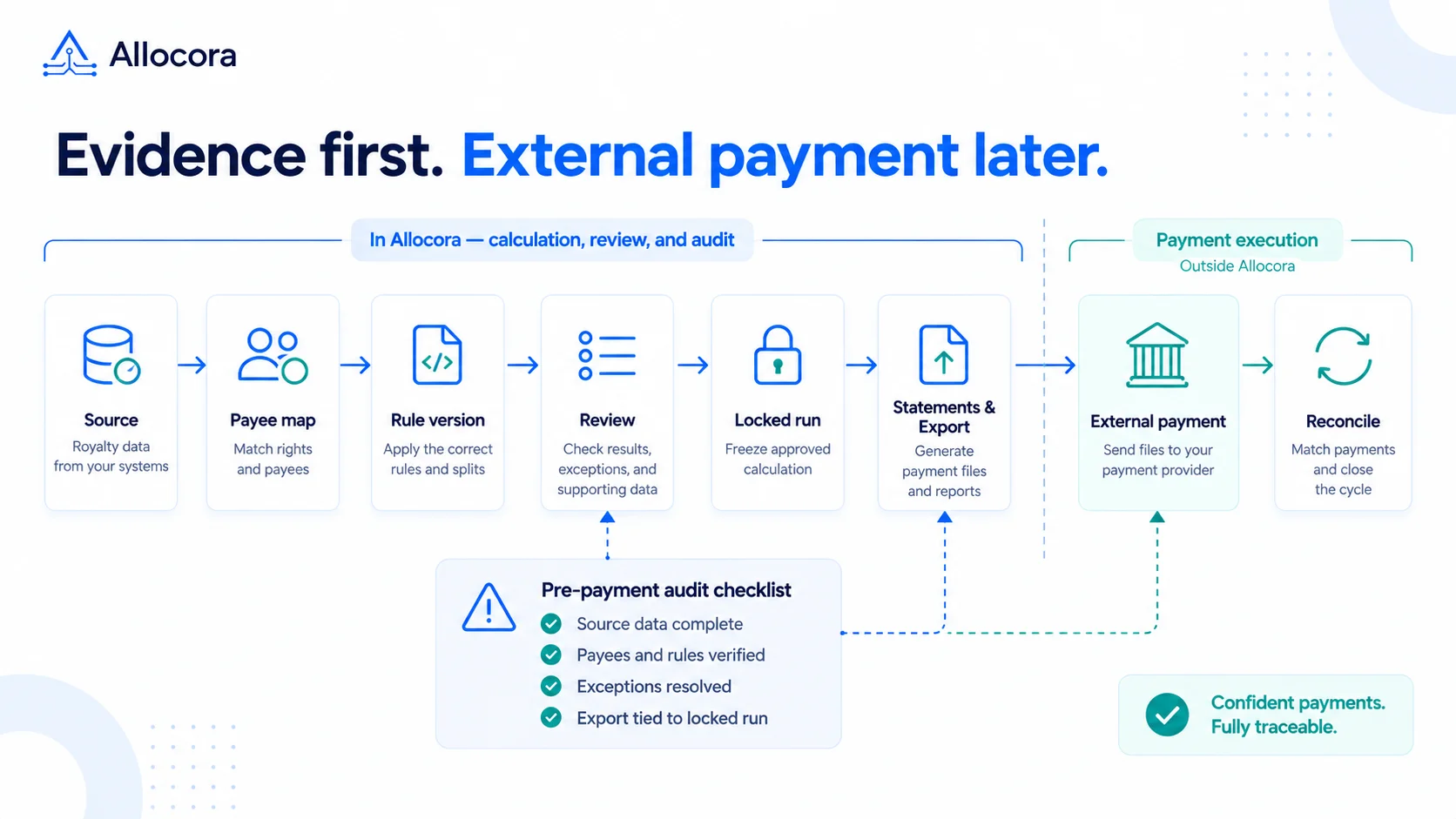 Payout Audit Checklist: What to Review Before External Payments
A payout audit checklist for reviewing source data, mappings, rules, locked runs, statements, exports, and reconciliation before external payments.
Sep 16, 2026 - 7 min read
Payout Audit Checklist: What to Review Before External Payments
A payout audit checklist for reviewing source data, mappings, rules, locked runs, statements, exports, and reconciliation before external payments.
Sep 16, 2026 - 7 min read
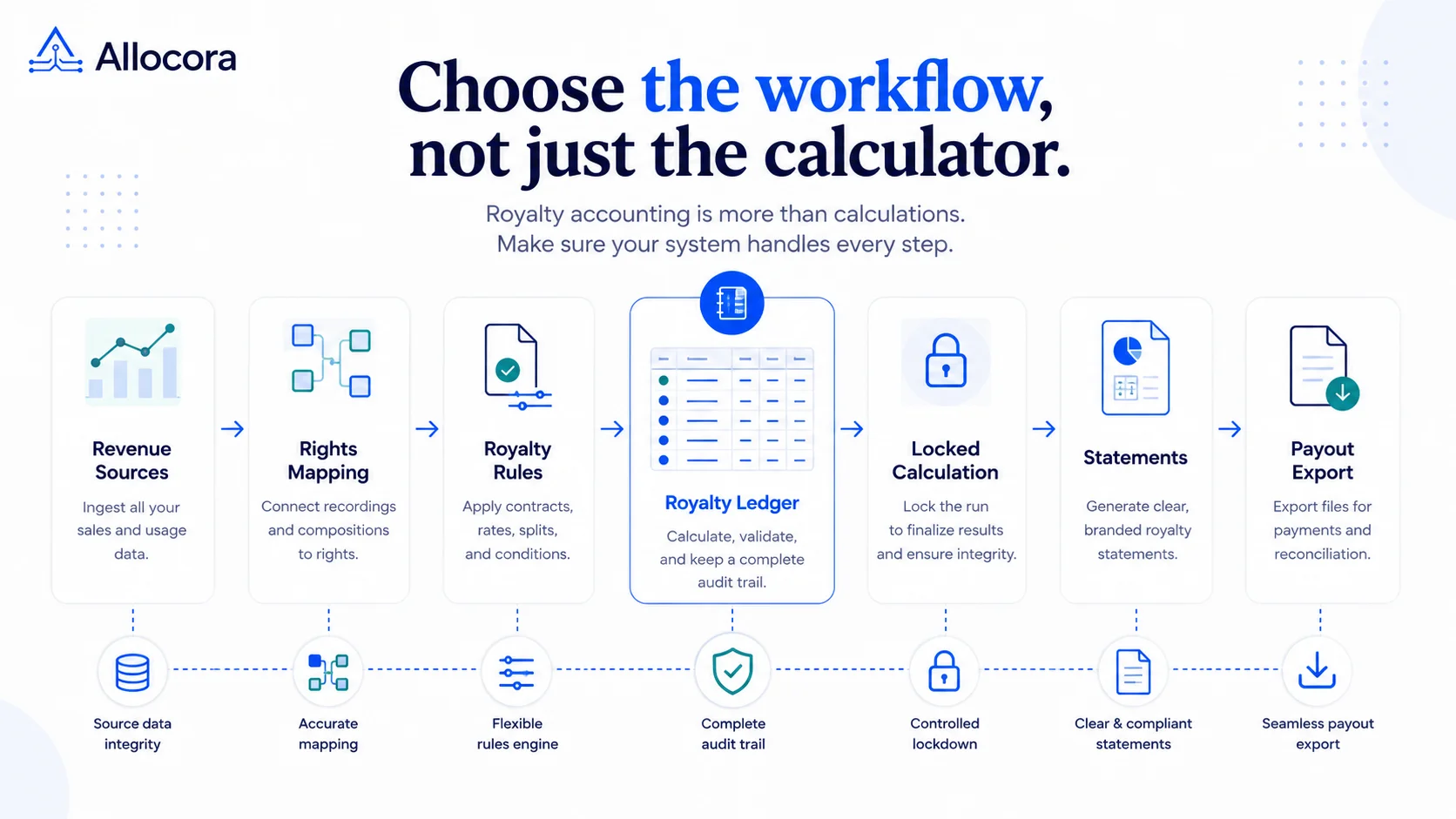 Royalty Accounting Software: How to Choose a System for a Label or Publisher
A practical buyer guide for labels and publishers replacing royalty spreadsheets with governed imports, rules, statements, and audit-ready exports.
Aug 11, 2026 - 9 min read
Royalty Accounting Software: How to Choose a System for a Label or Publisher
A practical buyer guide for labels and publishers replacing royalty spreadsheets with governed imports, rules, statements, and audit-ready exports.
Aug 11, 2026 - 9 min read
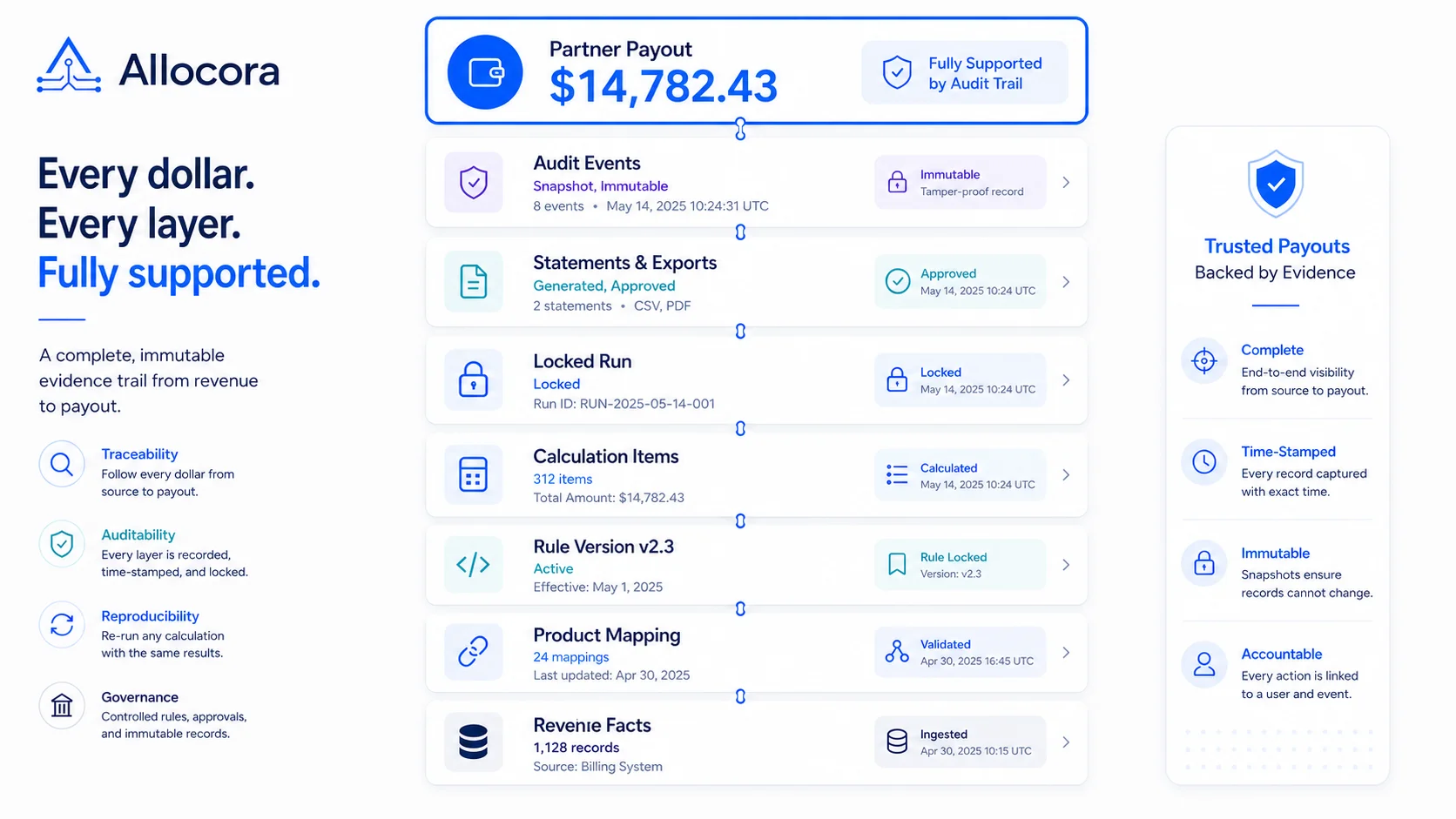 How Immutable Calculation Runs Create a Payout Audit Trail
A product-led guide to building payout evidence with immutable calculation runs instead of spreadsheet screenshots.
Jun 30, 2026 - 9 min read
How Immutable Calculation Runs Create a Payout Audit Trail
A product-led guide to building payout evidence with immutable calculation runs instead of spreadsheet screenshots.
Jun 30, 2026 - 9 min read