
Royalty Accounting Software: How to Choose a System for a Label or Publisher
A practical buyer guide for labels and publishers replacing royalty spreadsheets with governed imports, rules, statements, and audit-ready exports.
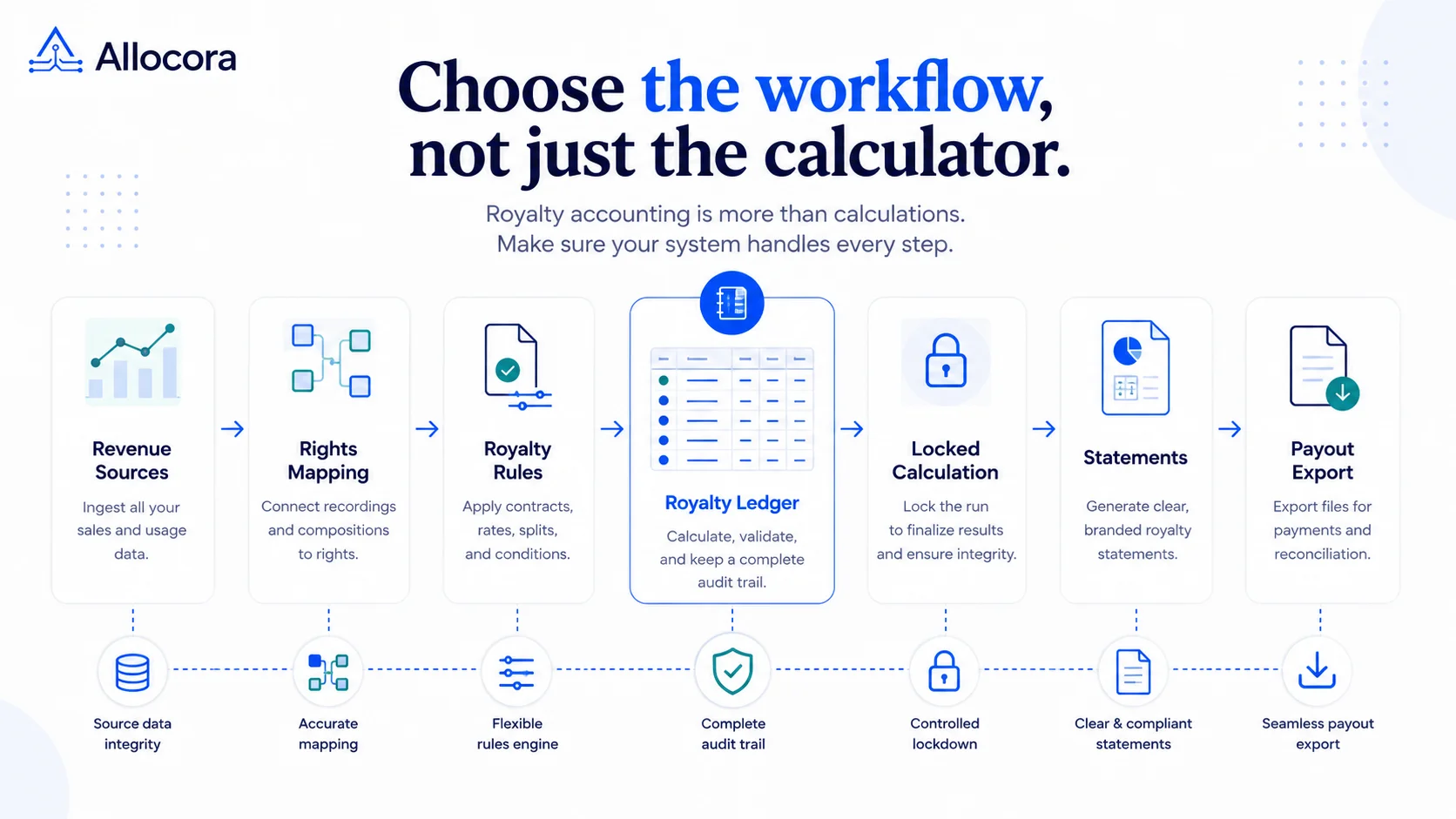
Royalty accounting software is not just a database of contracts, and it is not the same thing as a payment processor. For a label, publisher, production library, marketplace, or creator platform, the job is to turn source revenue and contract rules into calculated obligations that can be reviewed, explained, exported, and reconciled.
That distinction matters when spreadsheets begin to carry month-end close risk. A workbook may calculate one period quickly, but it usually does not preserve source rows, rule versions, payee history, calculation evidence, statement output, and downstream payout files in one reviewable chain.
Use this guide to decide what kind of royalty accounting system you actually need and which capabilities matter once spreadsheet workflows stop scaling.
What royalty accounting software should do
Royalty accounting software should answer four practical questions:
- What revenue was included in this period?
- Which contract or rule version applied to each row?
- Who is owed what after splits, recoupment, reserves, refunds, and thresholds?
- What evidence can be exported if a payee, auditor, or finance reviewer asks for proof?
General accounting software records journal entries and payables. A payment rail moves money. A royalty accounting system sits before those tools and explains how the payable amount was calculated.
For small and mid-sized teams, the useful system is usually not the heaviest enterprise rights platform. It is a governed calculation layer that can run close periods without turning every statement cycle into spreadsheet archaeology.
The spreadsheet problem is operational, not mathematical
Teams rarely replace spreadsheets because the formulas are impossible. They replace spreadsheets because the operating context around the formulas breaks down. We explored that transition in more detail in Replace Spreadsheet Commission Tracking Before Month-End Breaks.
Common failure points include:
- Revenue reports arrive from multiple distributors, stores, platforms, or marketplaces.
- Product identifiers differ across files, such as ISRC, ISBN, SKU, ASIN, title ID, or catalog ID.
- Payee terms change over time and old periods still need to be reproduced.
- Refunds, reserves, and adjustments need different treatment from normal sales.
- Statements are manually assembled from copied totals.
- Reviewers cannot prove which workbook version produced the final number.
The best systems reduce those failure points by making every calculation traceable, reviewable, and repeatable before adding more automation. In practice, that means imports, mappings, rule versions, deterministic runs, statement generation, exports, and audit logs.
Must-have feature checklist
Use this checklist before choosing a system:
| Capability | Why it matters |
|---|---|
| CSV, XLS, XLSX, or API imports | Royalty close begins with source data, not manual entry. |
| Product and catalog mapping | External identifiers need to resolve to internal catalog records. |
| Versioned payees and rules | Historical periods should remain tied to the terms used at the time. |
| Refund and adjustment handling | Negative and corrective rows should be explicit, not hidden in notes. |
| Calculation run history | Reviewers need a stable record of what was calculated. |
| Statement generation | Payee-facing files should come from reviewed output, not copy-paste workbooks. |
| Export bundles | Finance and auditors need repeatable CSV, XLSX, PDF, or ZIP evidence. |
| Reconciliation workflow | Calculated obligations should be compared with downstream payment evidence. |
| Self-serve sample data | A buyer should be able to test the workflow without waiting for a live call. |
Teams that need reproducible historical calculations should also understand why immutable calculation runs matter. See How Immutable Calculation Runs Create a Payout Audit Trail.
Allocora currently supports file-based revenue imports, Stripe pull sync, import templates, product mapping, payees, versioned rules, calculation runs, statement generation, exports, close packages, and reconciliation. The boundary is clear: it calculates, explains, exports, and reconciles payout obligations. A downstream rail or accounting workflow still executes payment.
Label example: 100 releases and quarterly statements
Imagine an independent label with 100 releases and quarterly statement cycles. Revenue arrives from distributor reports and occasional direct sales. Artists have different percentage splits. Some have unrecouped advances. One album has a reserve holdback. A few rows are refunds or distributor corrections.
In a spreadsheet workflow, the label may have one tab for revenue, one tab for contracts, one tab for recoupment, and another tab for statements. That setup works until someone asks why a specific artist received a specific amount six months later.
In a governed workflow, the label imports the revenue report, maps external identifiers to releases, models artists as payees, sets royalty terms as rules, runs the calculation, reviews output, locks the run, and generates statements. The statement is tied to the calculation run rather than a manually edited template.
The biggest benefit is the ability to reconstruct the close period without guessing.
Publisher example: many writers and split rules
Publishers often care less about recordings and more about work identifiers, writer shares, recoupment, and allocation evidence.
The publisher needs to know which source rows were included, which works were mapped, which writer or rightsholder rules applied, how balances were handled, and which statement output was sent. If several writers share one work, the system should keep the source revenue row clear while allocating separate payee amounts.
This is where "multi-payee" support matters. The system should not duplicate source revenue for every recipient. It should evaluate one source row and produce separate calculation items for the payees entitled to a share.
Migration from spreadsheets
Do not migrate by trying to encode every historical spreadsheet on day one. Start with a controlled double-run:
- Pick one recent close period.
- Import the source revenue file.
- Map the most important catalog identifiers.
- Create payees and only the rules needed for that period.
- Run the calculation.
- Compare output against the spreadsheet.
- Investigate differences before moving the next period.
Allocora's public royalty sample flow is useful here because it lets a team inspect a seeded royalty close before uploading its own data. Start with music royalty sample data or the music royalty calculator to understand the operating model. The goal is to validate one representative close before migrating the full historical process.
What to avoid
Avoid systems that force the calculation layer and payment layer into one opaque workflow before you understand the math. Also avoid tools that can generate a final amount but cannot show the source rows, rule context, and statement evidence behind that amount.
The most dangerous sentence in a royalty close is "the spreadsheet says so." The system should be able to show why.
Also be careful with rights-management claims. Rights management tracks ownership, licenses, restrictions, territories, terms, and availability. Royalty accounting turns revenue and rules into obligations and statements. Some platforms do both. Many teams only need the royalty accounting layer first. If you're deciding between those categories, see Rights Management vs Royalty Accounting: Which Process Gap Are You Actually Solving?.
Selection questions
Ask these before committing:
- Can I import the files I already receive?
- Can I map identifiers without rewriting the source file?
- Can I preserve historical rule versions?
- Can I model recoupment, reserves, thresholds, refunds, and adjustments?
- Can I preview or simulate logic before closing a period?
- Can I generate statements from reviewed runs?
- Can I export an auditor-ready bundle?
- Can I reconcile calculated obligations against paid evidence?
- Can a finance reviewer use the system without a custom implementation project?
- Can I test sample data before creating a full workflow?
Data fields to test before migration
Before a full migration, build a small test file with the fields your close process actually needs. At minimum, include transaction date, external transaction ID, amount, currency, revenue type, external product identifier, description, territory or channel if relevant, and a source name. If recoupment or balances matter, create payee records with opening balance, advance, reserve, threshold, and notes.
This test is more useful than a generic demo. It shows whether the system can handle the identifiers, signs, and close-period rules that your team already uses. It also exposes places where the current process is relying on tribal knowledge. For example, if one operator knows that a certain distributor code maps to a specific catalog item but that mapping is not documented, the migration should make the mapping explicit.
The same test file can become your recurring regression dataset. Keep one normal sale, one refund, one adjustment, one mapped product, one unmapped product, one recouped payee, and one multi-payee split. Run it whenever rules or templates change.
Red flags during evaluation
Be cautious if a tool cannot show source-row traceability, treats refunds as manual notes, overwrites historical rule logic, or requires statement output to be assembled outside the system. Also be cautious if the product claims to replace rights management, accounting, banking, tax, and payout execution in one undifferentiated workflow. Those jobs have different control requirements.
The best early signal is whether a reviewer can pick one statement line and trace it back to source revenue, mapping, rule version, calculation item, and export evidence. If that trace is clear, the system is likely solving the right problem.
Where Allocora fits
Allocora is a self-serve royalty and payout calculation ledger for teams that want governed math before downstream payment. It is a fit when spreadsheets are still the source of calculation truth and the team needs repeatable imports, rules, statements, exports, and reconciliation.
It is not a full legal rights registry, a bank, a payment processor, or a KYC/AML provider. That boundary is useful because it keeps the calculation evidence independent from the tool that moves funds.
Try the royalty calculation use case, inspect the import template library, or open the royalty statement generator to see the workflow before a live close.
FAQ
Is royalty accounting software the same as general accounting software?
No. General accounting software records financial activity and payables. Royalty accounting software calculates who is owed what from source revenue, contract rules, payee terms, adjustments, and statement logic.
Can royalties be calculated before money is paid?
Yes. In most controlled workflows, the calculation happens before payment. The output becomes the evidence package that finance reviews before a downstream payout rail or accounting process moves money.
How do refunds and corrections affect royalty statements?
They should be imported as explicit refund or adjustment rows and reviewed before calculation. Hiding them in notes or side tabs makes the statement harder to defend.
How do I migrate from Excel without losing audit history?
Keep historical workbooks as retained evidence, then double-run one recent period in the new system. Compare results, document differences, and move period by period rather than rewriting every historical close at once.
Related Articles
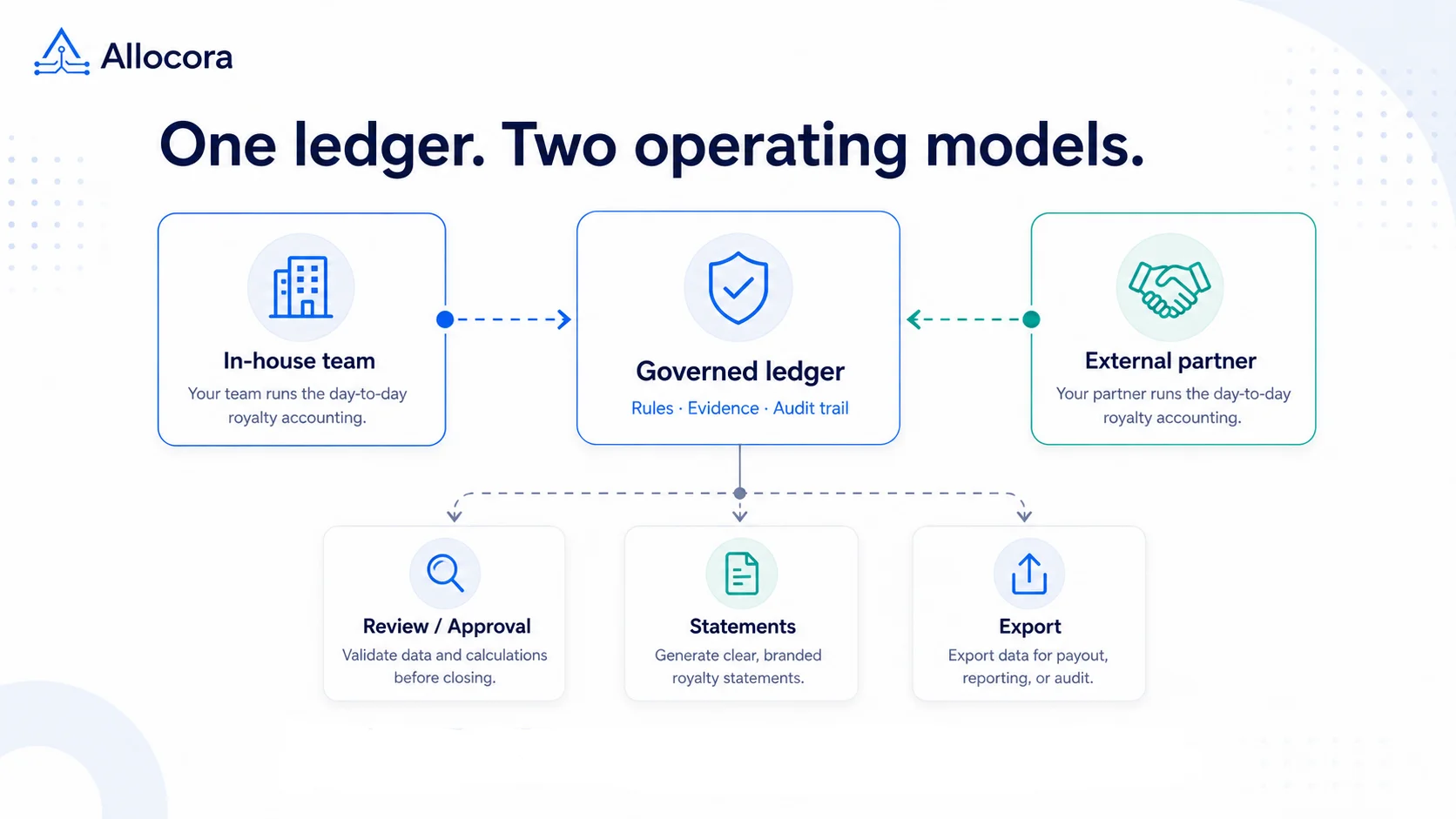 Outsourcing Royalty Accounting vs In-House: A Practical Guide for Growing Teams
A decision guide for labels, publishers, and platforms comparing outsourced royalty accounting, spreadsheet workflows, software-led operations, and hybrid models.
Sep 03, 2026 - 8 min read
Outsourcing Royalty Accounting vs In-House: A Practical Guide for Growing Teams
A decision guide for labels, publishers, and platforms comparing outsourced royalty accounting, spreadsheet workflows, software-led operations, and hybrid models.
Sep 03, 2026 - 8 min read
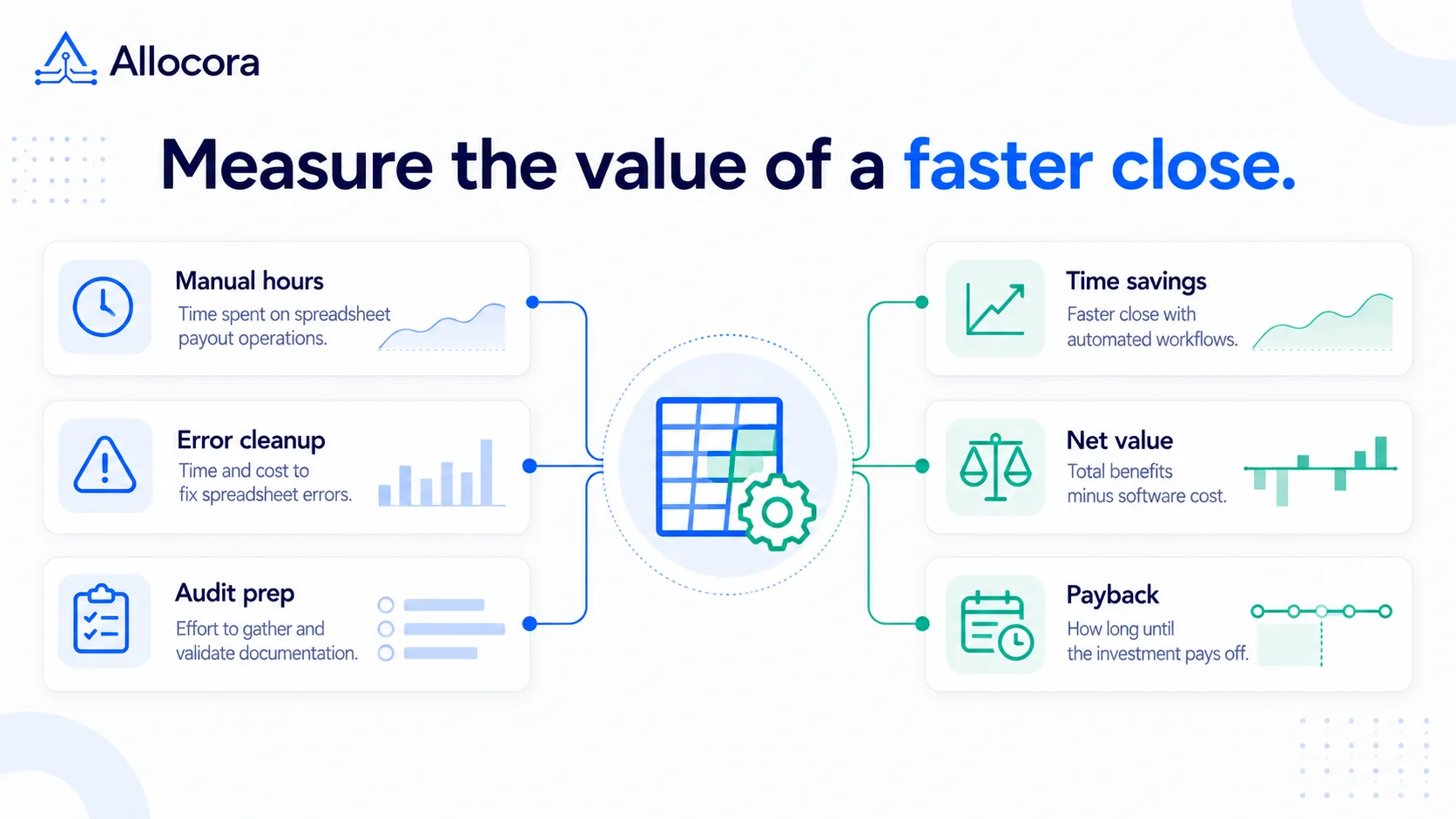 Royalty Ledger Automation ROI: When Spreadsheet Payout Operations Pay for Software
A practical before-and-after ROI model for evaluating royalty-ledger automation using close-time savings, avoided error costs, audit cleanup, and software cost.
Aug 27, 2026 - 11 min read
Royalty Ledger Automation ROI: When Spreadsheet Payout Operations Pay for Software
A practical before-and-after ROI model for evaluating royalty-ledger automation using close-time savings, avoided error costs, audit cleanup, and software cost.
Aug 27, 2026 - 11 min read
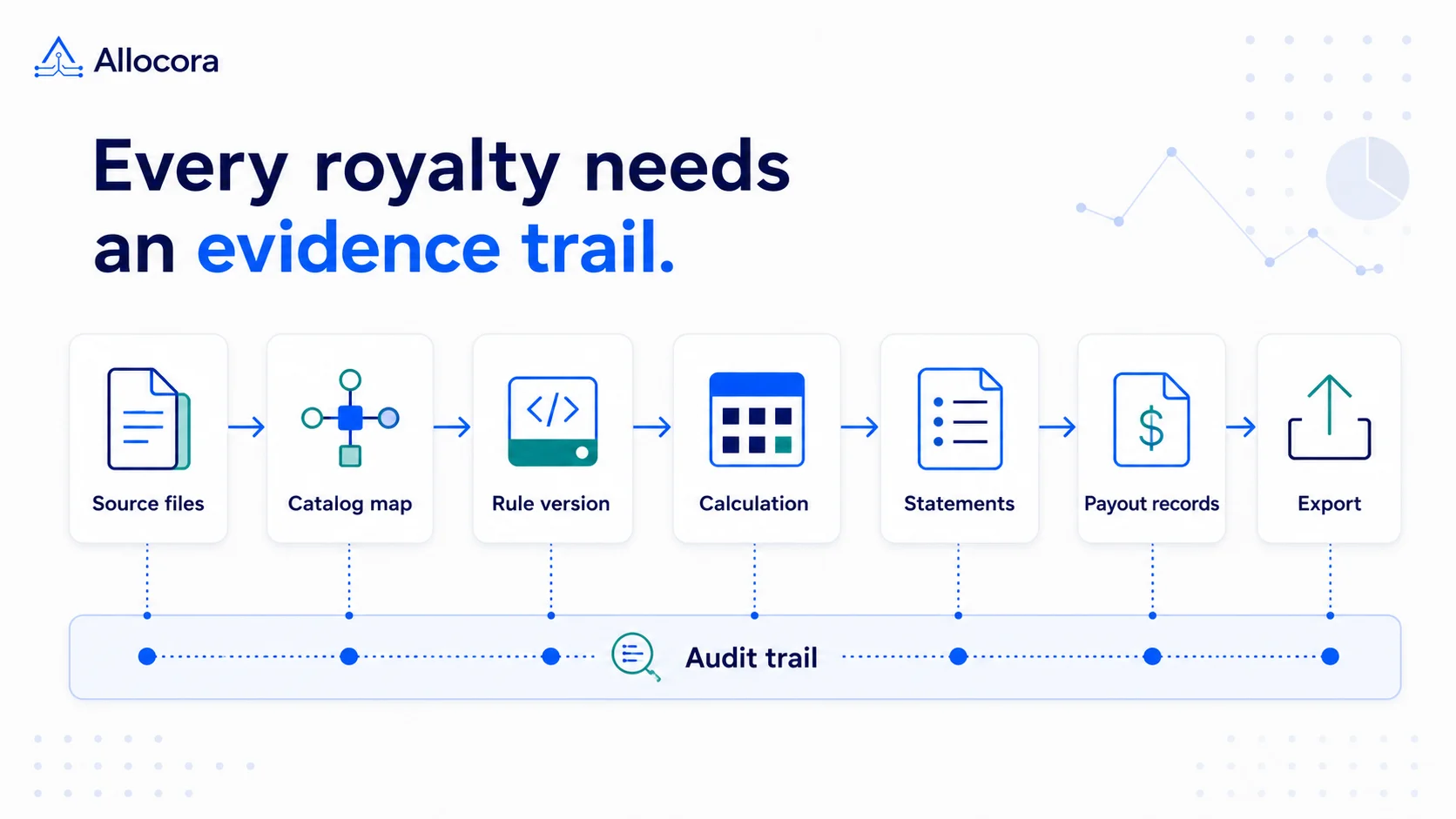 Royalty Audit Checklist: 10 Steps to Prepare Statements, Evidence, and Payout Records
A step-by-step royalty audit checklist for preparing source revenue, contract rules, statements, payout exports, and reconciliation evidence.
Aug 25, 2026 - 8 min read
Royalty Audit Checklist: 10 Steps to Prepare Statements, Evidence, and Payout Records
A step-by-step royalty audit checklist for preparing source revenue, contract rules, statements, payout exports, and reconciliation evidence.
Aug 25, 2026 - 8 min read