
Payout Software Pricing Models: Usage Limits, Fees, and a TCO Checklist
A practical checklist for comparing payout software pricing models, usage limits, add-ons, implementation effort, and total cost before choosing a plan.
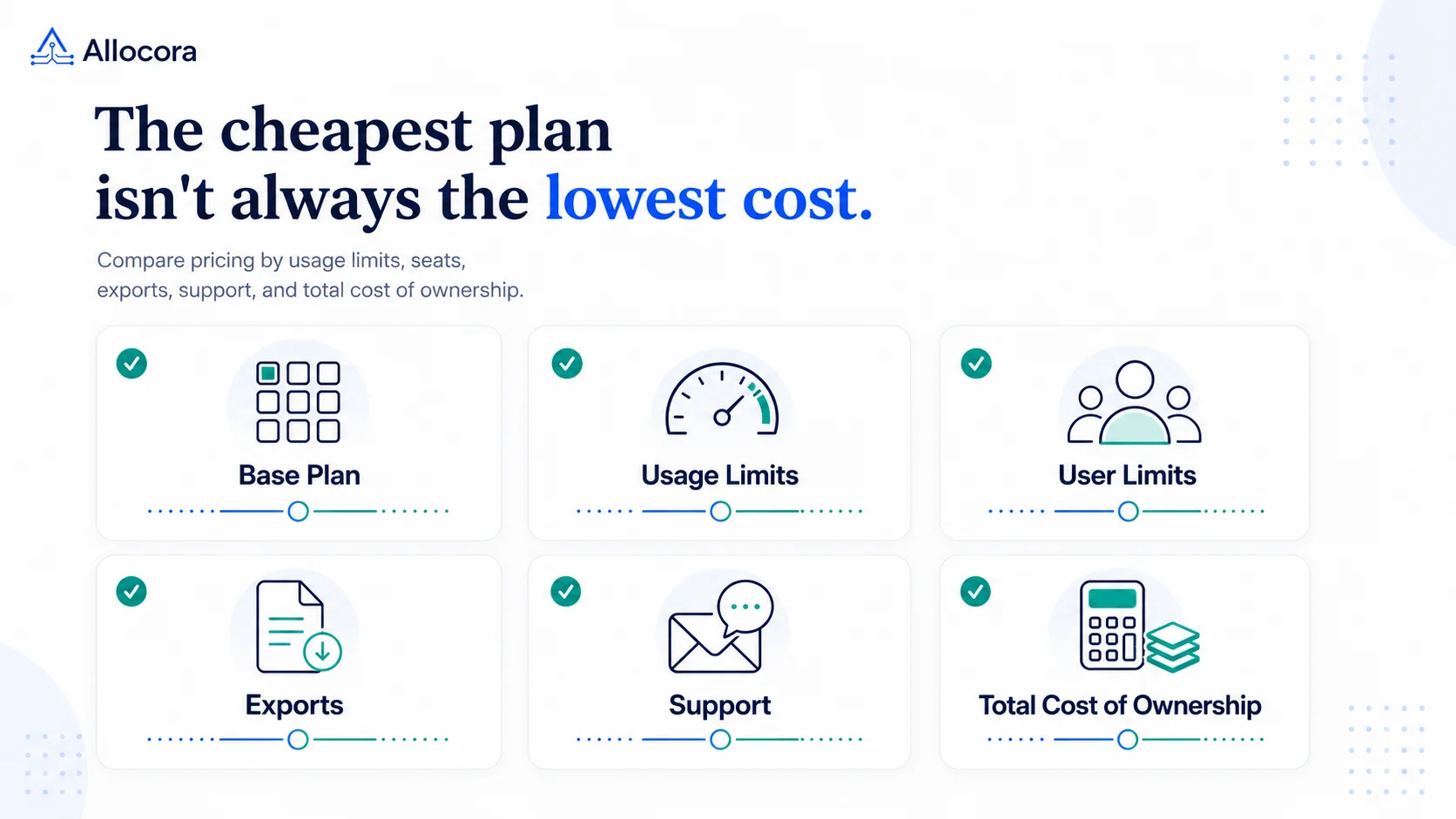
Payout software pricing is difficult to compare when products charge for different things. One plan may be based on payees, another on calculation volume, and another on users or transactions. The lowest subscription price is therefore not always the lowest operating cost.
A useful comparison starts with two questions: What work does the product perform, and which parts of that work affect the bill? From there, teams can compare capacity, add-ons, implementation effort, and likely upgrade points on the same basis.
If you first need to decide whether you need free-form modeling, affiliate tracking, rights administration, calculation governance, or money movement, start with the payout software workflow-model comparison. This article assumes the workflow role is clear and focuses on subscription pricing, usage limits, fees, upgrade triggers, and total cost.
Quick answer
When comparing payout software pricing models, review:
- The base subscription and billing term.
- Payee, row, calculation-run, and data-source limits.
- User or seat limits.
- Overage rules and the next plan required when usage grows.
- Statements, exports, and custom output formats.
- Reconciliation and other paid add-ons.
- Migration, implementation, and support effort.
- Any separate payment-rail transaction fees.
- Data access and export options if you later change products.
The goal is not simply to find the cheapest plan. It is to estimate the total cost of operating the workflow at today's volume and at a realistic future volume.
First, compare products that do the same job
"Payout software" can describe products with different responsibilities.
Payout calculation software is used to determine and document what each payee is owed. It may ingest revenue or transaction data, apply allocation rules, and produce statements or structured exports. Depending on the provider, a payout rail may move money after those amounts have been approved and may charge transaction, conversion, or withdrawal fees.
Those costs should be evaluated separately. We explored the operational difference in more detail in Payout Rails vs Payout Calculation Software: Why Teams Need Both.
Allocora calculates and governs payouts but does not move money, so its pricing is based on calculation volume rather than transaction fees. The payout rails comparison explains this boundary in more detail.
Teams replacing manual work should also compare the product with the process it will replace. The relevant baseline may include spreadsheet maintenance, review time, correction work, and the effort required to reproduce historical calculations. Those hidden operating costs are also covered in Replace Spreadsheet Commission Tracking Before Month-End Breaks.
The Allocora versus spreadsheets comparison provides a practical starting point.
Identify every billable unit
Pricing pages often emphasize the subscription price, while capacity limits determine when the next upgrade is required. Record the definition and allowance for every billable unit.
| Pricing dimension | What to verify |
|---|---|
| Payees | Whether the limit applies to active payees, all stored payees, or payees included in a billing period |
| Rows | What counts as a row, when rows are counted, and whether reprocessing affects usage |
| Calculation runs | Whether previews, tests, reruns, or only saved calculations consume the allowance |
| Active sources | Which connected or uploaded inputs count and how replaced sources are handled |
| Users | Whether viewers, operators, reviewers, and administrators all require paid seats |
| Exports | Whether standard statements and structured exports are included and whether custom formats cost extra |
| Transactions | Whether the product moves money and charges per transfer, currency conversion, or withdrawal |
| Support | Which channels and response expectations are included in the subscription |
For Allocora, a run is a persisted calculation run started during the billing window. Dry-run previews do not create a persisted run and do not consume a run. A row is one imported revenue record, such as a transaction, invoice, payment, adjustment, or line item. Supported input methods include Stripe, Dodo Payments, Paddle Revenue, CSV/XLS/XLSX files, API input, and manual entry.
Estimate usage from actual operating data when possible. Model both average and peak months so a seasonal increase, correction cycle, or large partner program does not create an unexpected upgrade.
Calculate total cost of ownership
A practical first-year estimate is:
Estimated first-year cost = subscription + paid add-ons + implementation or migration + required support + expected overages or upgrades + applicable payment-rail fees
If a separate payment rail is used, add its transaction and currency-related charges as a separate line. Keeping the categories separate makes it easier to see which costs belong to calculation and governance and which belong to moving funds.
Implementation effort may include:
- Cleaning and mapping source data
- Recreating allocation rules
- Importing payees or historical records
- Validating results against a previous process
- Training operators and reviewers
- Building a custom downstream export
These costs are not necessarily vendor fees. Internal operations, finance, and engineering time can be part of the total even when the product is self-serve.
Allocora pricing as a worked example
The following public Allocora prices and capacities were reviewed on August 5, 2026. Check the current pricing page before making a purchasing decision.
| Plan | Monthly billing | Annual billing | Payees | Rows/month | Runs/month | Active sources |
|---|---|---|---|---|---|---|
| Free | $0 forever | Not applicable | 100 | 1,000 | 5 | 2 |
| Agency | $79/month | $756/year ($63/month equivalent) | 150 | 5,000 | 10 | 3 |
| Core | $129/month | $1,236/year ($103/month equivalent) | 300 | 15,000 | 20 | 5 |
| Growth | $299/month | $2,868/year ($239/month equivalent) | 750 | 50,000 | 50 | 10 |
| Scale | $799/month | $7,668/year ($639/month equivalent) | 1,500 | 250,000 | 100 | 15 |
| Custom | No fixed public price | No fixed public price | Workspace-specific | Workspace-specific | Workspace-specific | Workspace-specific |
Agency, Core, Growth, and Scale provide the same paid product at different capacity levels. Standard statements and structured exports are included. Allocora lists Reconciliation and Custom export templates as add-ons available on paid plans; include any required add-on cost when estimating total cost.
In practice, the plan choice depends primarily on workload capacity and any add-ons the team needs.
Test the limits with a realistic scenario
Consider a team expecting:
- 250 payees
- 12,000 rows per month
- 15 persisted calculation runs per month
- 4 active sources
Under the limits published on August 5, 2026, the smallest Allocora tier that fits all four numbers is Core: up to 300 payees, 15,000 rows, 20 runs, and 5 active sources.
That is a capacity check, not a complete total-cost recommendation. The team should still consider annual versus monthly billing, expected growth, reconciliation needs, custom export requirements, and migration effort. A workload close to a limit may justify evaluating the next plan before the busiest month arrives.
The pricing estimator asks for expected revenue events, tracked payees, payout cadence, and audit needs. It recommends the smallest current self-serve plan that fits the estimated operating scale. Compare the recommendation with actual row, run, payee, and source usage before choosing a plan.
Compare the costs beyond the plan table
Base subscription and billing term
Record both the monthly price and the total annual commitment. An annual plan may have a lower monthly equivalent, while monthly billing may provide more flexibility. Compare the same time period across vendors.
Usage growth and upgrade points
Estimate a normal month, a peak month, and a plausible volume 12 months from now. Identify which limit would trigger the first upgrade. Different teams may be constrained by payees, rows, runs, or active sources.
Users and operating roles
List everyone who needs to configure rules, run calculations, review results, or download outputs. Confirm whether the product charges per user and whether role-based access changes the price. Do not assume a capacity-based plan includes unlimited users unless the vendor states that clearly.
Statements and exports
Confirm what can be generated without an add-on. Standard exports may be sufficient for one workflow, while another may require a specific accounting, banking, or partner-facing format. Allocora includes standard statements and structured exports on every paid plan; Custom export templates are available as an add-on on paid plans.
Reconciliation
Determine whether the team needs only calculation outputs or a separate reconciliation workflow. Allocora offers Reconciliation as an add-on on paid plans, so it should be included in the estimate when required.
Implementation and migration
Even with self-serve access, the underlying data has to be prepared. Estimate the work required to map fields, reproduce rules, validate sample periods, and document the new close process.
This can be especially important for partner settlement workflows, where several sources, rule types, or output recipients may be involved.
Support and operational risk
Compare included support channels and response expectations with the importance of the workflow. Also consider the cost of delayed calculations, unclear audit evidence, manual corrections, and dependence on one operator.
Exit and data portability
Check whether calculations, statements, source records, and structured outputs can be exported in usable formats. Portability can reduce the cost and risk of changing tools later.
A reusable buyer checklist
Before selecting a plan, document:
- Current and peak payee counts
- Current and peak monthly rows
- Expected persisted runs, including corrections and reruns
- Active source count and planned integrations
- Required users and roles
- Standard and custom output requirements
- Reconciliation requirements
- Monthly and annual subscription totals
- Add-on costs
- Migration and validation effort
- Support requirements
- Separate payment-rail fees
- The first limit likely to require an upgrade
- Data export and retention requirements
Use the same workload assumptions for every product. That produces a more useful comparison than placing entry-level prices side by side while ignoring different limits and responsibilities.
To size a plan against your own workload, estimate the smallest current Allocora plan that fits your payees, rows, persisted runs, and active sources, then check the result against the total-cost categories above.
Frequently asked questions
What is payout software commonly priced by?
Common pricing dimensions include payees, rows or records processed, calculation runs, active data sources, users, exports, and transactions. The relevant dimensions depend on whether the product calculates payouts, moves money, or performs both functions.
Are payment transaction fees included in payout calculation software pricing?
Not necessarily. Calculation software and payment rails perform different jobs. If the calculation product does not move money, transaction, conversion, and withdrawal fees may come from a separate rail. Allocora does not move money, and its pricing is based on operational calculation volume rather than transaction fees.
Should a team choose annual billing?
Annual billing can reduce the monthly equivalent, but it also creates a longer commitment. Compare the annual total with expected usage, likely growth, and implementation confidence before deciding.
Which Allocora plan should a team choose?
The relevant capacity tier is the smallest current plan that accommodates the team's payees, monthly rows, persisted runs, and active sources. Required add-ons and headroom may change the total-cost choice. Use the pricing estimator for a directional recommendation, then confirm all four capacity limits against current pricing.
Related Articles
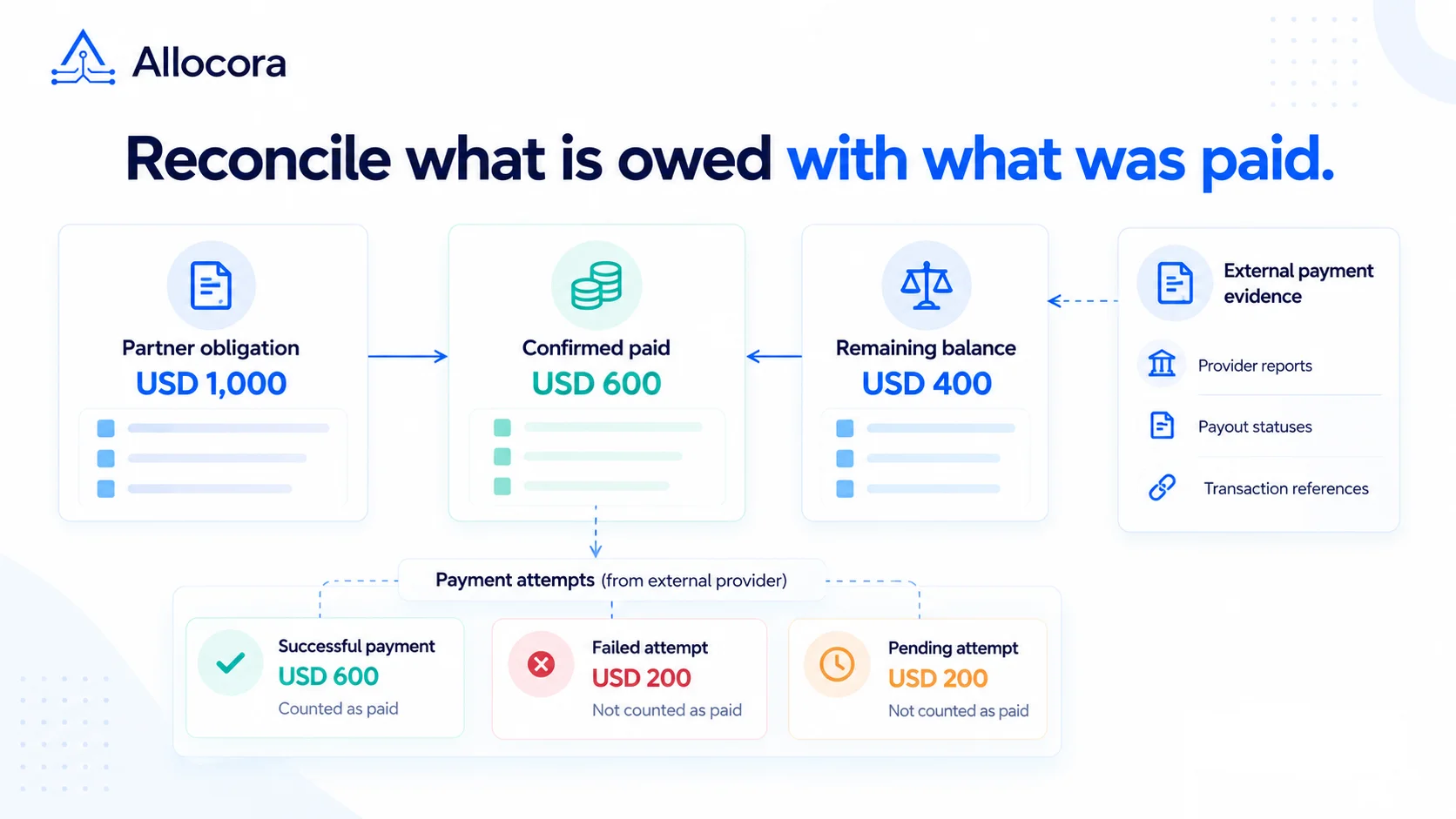 Payout Reconciliation: Matching Partner Obligations to Actual Payments
A worked payout reconciliation guide covering partial payments, failed attempts, returned funds, fees, and the evidence behind each partner's remaining obligation.
Oct 27, 2026 - 8 min read
Payout Reconciliation: Matching Partner Obligations to Actual Payments
A worked payout reconciliation guide covering partial payments, failed attempts, returned funds, fees, and the evidence behind each partner's remaining obligation.
Oct 27, 2026 - 8 min read
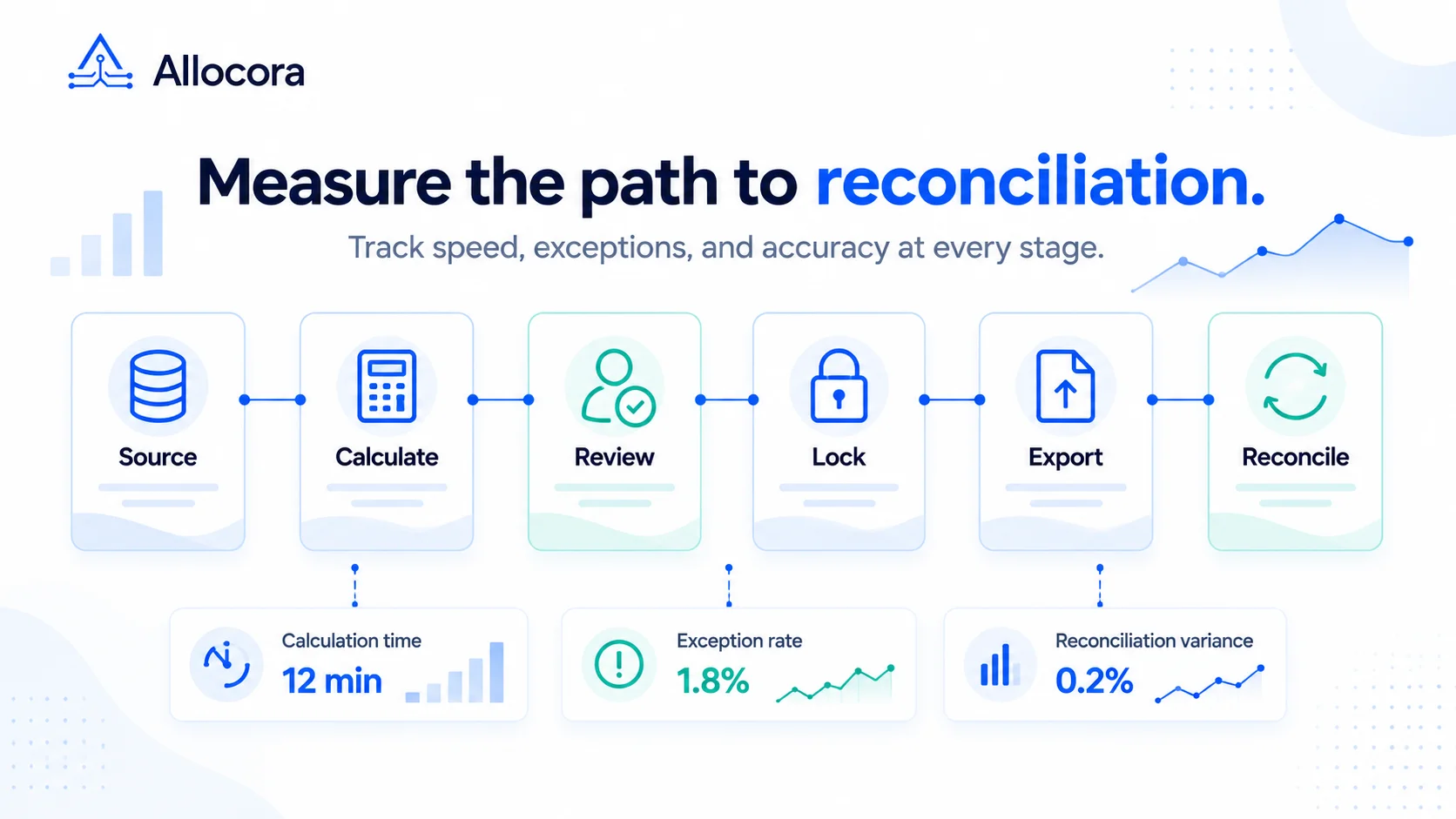 Payout Operations Metrics: What to Track From Calculation to Reconciliation
Track payout operations metrics from source data to calculation, review, export, payment confirmation, reconciliation.
Oct 22, 2026 - 9 min read
Payout Operations Metrics: What to Track From Calculation to Reconciliation
Track payout operations metrics from source data to calculation, review, export, payment confirmation, reconciliation.
Oct 22, 2026 - 9 min read
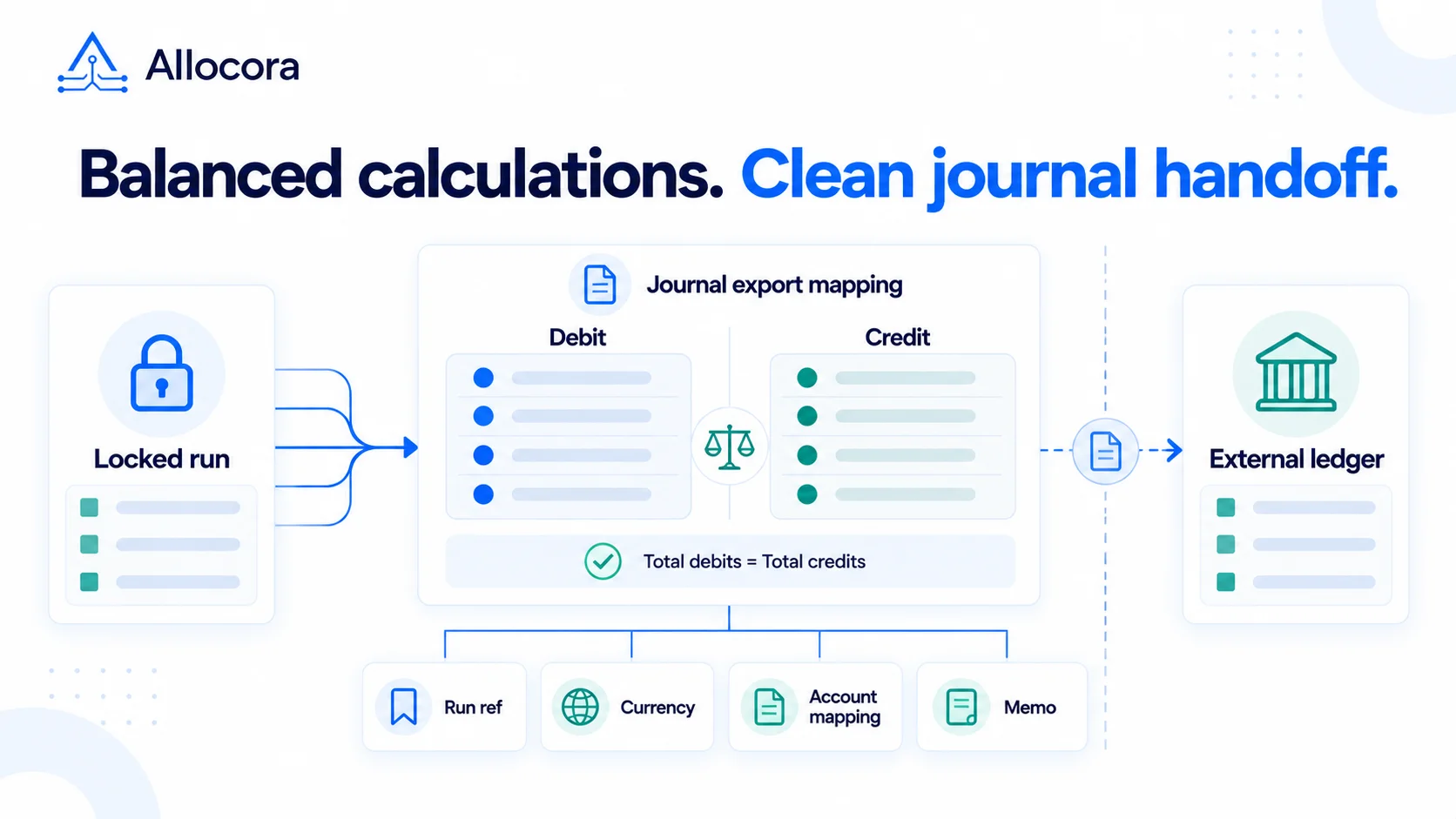 Journal Export Planning for Revenue Share, Royalties, and Partner Payouts
Plan a reviewed accounting handoff for revenue share, royalties, and partner payouts, with journal-basis choices, account mapping, and vendor-specific import checks.
Oct 15, 2026 - 8 min read
Journal Export Planning for Revenue Share, Royalties, and Partner Payouts
Plan a reviewed accounting handoff for revenue share, royalties, and partner payouts, with journal-basis choices, account mapping, and vendor-specific import checks.
Oct 15, 2026 - 8 min read