
Royalty Ledger Automation ROI: When Spreadsheet Payout Operations Pay for Software
A practical before-and-after ROI model for evaluating royalty-ledger automation using close-time savings, avoided error costs, audit cleanup, and software cost.
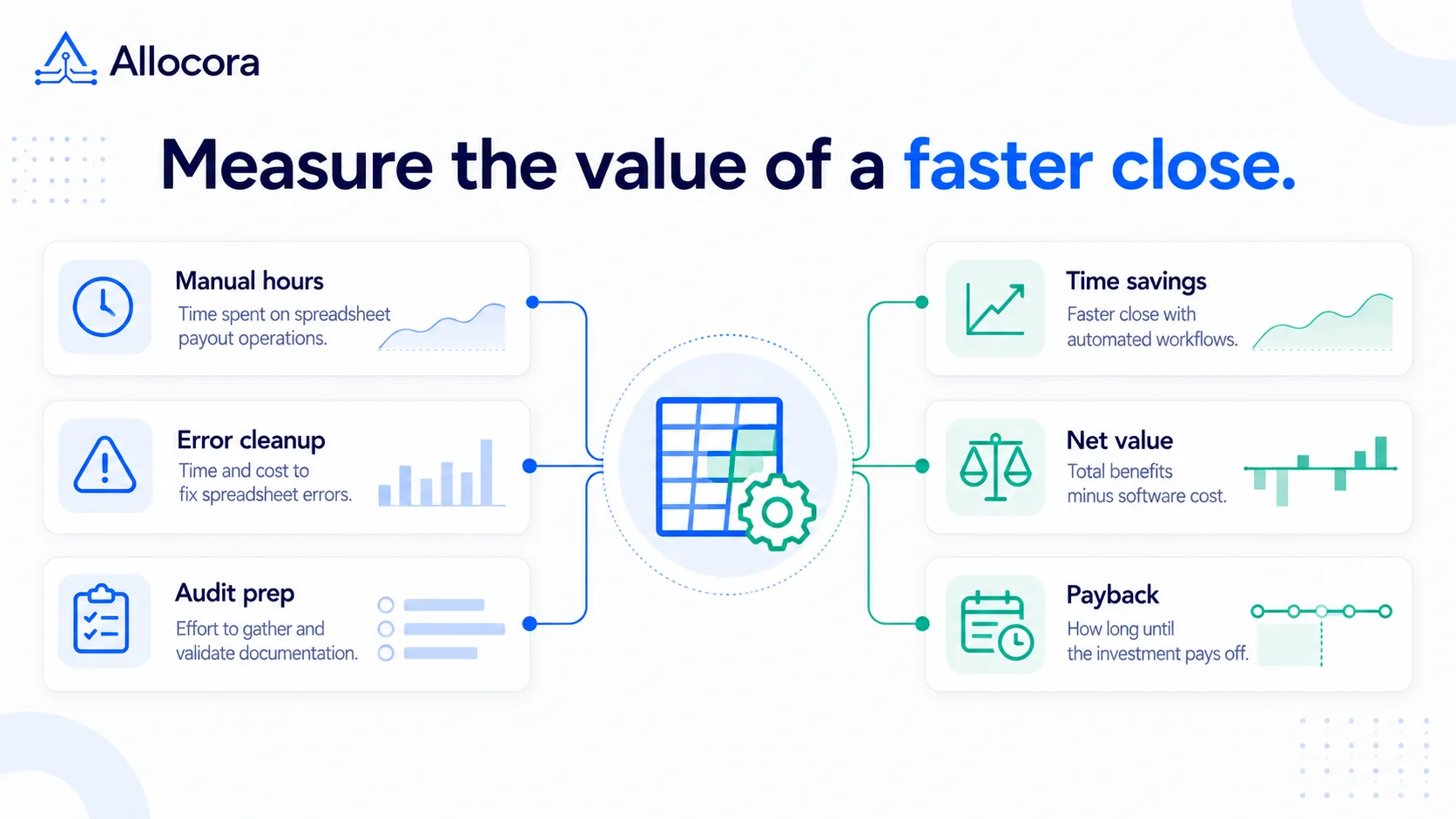
Royalty-ledger automation can pay for itself when measured reductions in manual calculation, correction, statement assembly, audit cleanup, and dispute support exceed recurring software cost and any implementation cost. The challenge is that those costs are often hidden. A spreadsheet may look free until month-end close depends on it.
This guide gives labels, publishers, marketplaces, creator platforms, and finance teams a practical ROI model. It is not a procurement guarantee, and it is not accounting advice. It is a way to estimate whether a royalty or payout ledger is worth evaluating. For a broader view of subscription costs, usage limits, add-ons, and implementation effort, see Payout Software Pricing Models: Usage Limits, Fees, and a TCO Checklist.
The simple ROI formula
Start with a monthly before-and-after model. Convert one-time or annual costs into monthly equivalents before combining them:
CLOSE_COST_BEFORE = CLOSE_HOURS_BEFORE * HOURLY_COST
CLOSE_COST_AFTER = CLOSE_HOURS_AFTER * HOURLY_COST
REDUCED_CLOSE_COST = CLOSE_COST_BEFORE - CLOSE_COST_AFTER

AVOIDED_ERROR_COST =
    ESTIMATED_ERROR_COST_BEFORE - ESTIMATED_ERROR_COST_AFTER

AUDIT_CLEANUP_COST_BEFORE = MONTHLY_AUDIT_HOURS_BEFORE * HOURLY_COST
AUDIT_CLEANUP_COST_AFTER = MONTHLY_AUDIT_HOURS_AFTER * HOURLY_COST
REDUCED_AUDIT_CLEANUP_COST =
    AUDIT_CLEANUP_COST_BEFORE - AUDIT_CLEANUP_COST_AFTER

MONTHLY_SAVINGS =
    REDUCED_CLOSE_COST
    + AVOIDED_ERROR_COST
    + REDUCED_AUDIT_CLEANUP_COST

NET_MONTHLY_VALUE =
    MONTHLY_SAVINGS - MONTHLY_SOFTWARE_COST
This model uses the change between baseline and expected post-automation cost. It does not assume automation removes every close hour, error, or audit task.
Keep the categories mutually exclusive. If correction, dispute, statement-support, or audit hours are already included in monthly close hours, do not count the same labor again as error or audit cost. Include statement assembly and payout handoff in close hours unless you model them separately.
Cost category 1: close hours
Close hours include every recurring task required to produce statements or payout exports:
- Downloading source reports.
- Cleaning files.
- Mapping product identifiers.
- Updating payee terms.
- Checking formulas.
- Applying refunds and adjustments.
- Calculating splits.
- Preparing statements.
- Creating payout files.
- Answering review questions.
If one person spends 18 hours per month at an internal cost of USD 60 per hour, the direct close cost is USD 1,080 per month. If two people review the workbook for another 5 hours each, the cost rises quickly.
Software ROI is strongest when those hours are recurring and predictable. When saved employee time does not reduce overtime, contractor spend, or planned hiring, treat reduced close cost as recovered capacity rather than immediate cash savings.
Cost category 2: error-related cost
Manual royalty operations create error risk through duplicate rows, missed refunds, stale rates, broken formulas, unmapped catalog identifiers, and copy-paste statement mistakes.
Error-related cost is harder to estimate because not every calculation error becomes a direct cash loss. Use historical corrections, unrecovered overpayments, external correction fees, support time, and rework when available. If correction or support labor is already included in close or audit hours, do not include it again here.
If historical cost data does not exist, use a conservative scenario instead of treating an assumed error rate as guaranteed savings:
ESTIMATED_ERROR_COST_BEFORE =
    MONTHLY_REVENUE_IN_SCOPE
    * ESTIMATED_FINANCIAL_ERROR_RATE_BEFORE

ESTIMATED_ERROR_COST_AFTER =
    MONTHLY_REVENUE_IN_SCOPE
    * ESTIMATED_FINANCIAL_ERROR_RATE_AFTER
Use revenue as the denominator only when the error rate was measured against revenue. If your history measures errors against payout obligations, use the payout value in scope instead.
For USD 80,000 of monthly revenue in scope, a 0.5 percent scenario equals USD 400 per month. This is an estimated baseline cost, not USD 400 of guaranteed savings. To estimate AVOIDED_ERROR_COST, subtract the expected post-automation error cost from the baseline error cost. Treat each rate as a sensitivity assumption unless historical data supports it.
Cost category 3: audit and dispute cleanup
Audit cleanup is expensive because it happens after context has faded. Someone has to find the old workbook, determine whether it was final, inspect formulas, locate the source report, identify which version of terms applied, and rebuild the explanation.
Convert annual audit or dispute-cleanup hours to a monthly average before using them in the model. For example, 6 hours per year equals 0.5 hours per month, while 6 hours every month remains 6 monthly hours.
A governed royalty ledger reduces this by preserving:
- Source revenue evidence.
- Product mappings.
- Payee versions.
- Rule versions.
- Calculation runs.
- Statement files.
- Export files.
- Audit logs.
- Reconciliation records.
Allocora is designed around that retained chain. A calculation run is not just a result. It is a reviewable record. For the evidence side of the workflow, see the Royalty Audit Checklist: 10 Steps to Prepare Statements, Evidence, and Payout Records.
Close-work component: statement assembly
Statement assembly is often overlooked. If statements are generated from copied spreadsheet totals, every statement becomes another place for mistakes.
Count the time required to:
- Build payee-facing statement files.
- Check names and period labels.
- Add product-level details.
- Package PDFs or CSVs.
- Send files.
- Answer follow-up questions.
When statement count increases, manual work grows faster than expected. Automation helps most when statements are generated from reviewed calculation output rather than manually assembled.
Close-work component: downstream payout handoff
Royalty-ledger automation should not pretend to be a payout rail. Instead, it should prepare the handoff:
- Net payable totals.
- Held or below-threshold amounts.
- Payment-ready CSV presets.
- Close package exports.
- Statement references.
- Reconciliation context.
Allocora can produce payout-ready files and close packages, but a downstream bank, AP process, or payout rail still moves money. That separation protects review before payment.
Before and after workflow
| Step | Spreadsheet workflow | Royalty ledger workflow |
|---|---|---|
| Import | Paste reports into tabs | Import source rows with retained identity |
| Mapping | Manual lookups | External identifiers mapped to catalog records |
| Rules | Formula logic and rate tabs | Versioned rules with effective context |
| Calculation | Workbook output | Deterministic calculation run |
| Statement | Manual template assembly | Statements from reviewed output |
| Export | Copy totals into payout file | Structured close package or payout-ready CSV |
| Reconciliation | Side-by-side manual check | Compare obligations with paid evidence |
| Audit | Rebuild old workbook | Review retained run, logs, and exports |
The ROI comes from reducing repeated manual effort and increasing the quality of retained evidence.
Three scenarios
Small catalog
A small catalog with 20 payees, one revenue source, and quarterly statements may not need heavy automation immediately. A spreadsheet can work if one person owns it and the terms are simple. The trigger is usually audit or dispute pressure.
Use software when the team wants repeatable statements, sample-data validation, and a clean migration path before volume grows.
Growing platform
A platform with monthly revenue, many payees, refunds, adjustments, and multiple product identifiers benefits earlier. The cost of formula drift and payout support becomes material. Automation can reduce close time and make payee questions easier to answer.
Multi-source finance team
A team importing distributor, marketplace, direct sales, and subscription reports is a strong candidate for a governed ledger. The main value is not only speed. It is consistent mapping, calculation, statements, exports, and reconciliation across sources.
How to estimate with your own numbers
Use this worksheet. Replace rate-based estimates with measured monthly error-related costs when available:
| Input | Example |
|---|---|
| Monthly revenue in scope | USD 80,000 |
| Revenue sources | 3 |
| Payees | 75 |
| Rows imported per month | 4,000 |
| Close hours before automation | 28 |
| Expected close hours after automation | 10 |
| Internal hourly cost | USD 60 |
| Estimated financial error rate before automation | 0.5 percent |
| Expected financial error rate after automation | 0.25 percent |
| Average monthly audit cleanup hours before automation | 6 |
| Expected average monthly audit cleanup hours after automation | 2 |
| Monthly software cost | Your expected plan |
Then calculate:
CLOSE_COST_BEFORE = 28 * 60 = 1680
CLOSE_COST_AFTER = 10 * 60 = 600
REDUCED_CLOSE_COST = 1680 - 600 = 1080
ESTIMATED_ERROR_COST_BEFORE = 80000 * 0.005 = 400
ESTIMATED_ERROR_COST_AFTER = 80000 * 0.0025 = 200
AVOIDED_ERROR_COST = 400 - 200 = 200
AUDIT_CLEANUP_COST_BEFORE = 6 * 60 = 360
AUDIT_CLEANUP_COST_AFTER = 2 * 60 = 120
REDUCED_AUDIT_CLEANUP_COST = 360 - 120 = 240
MONTHLY_SAVINGS = 1080 + 200 + 240 = 1520
NET_MONTHLY_VALUE = 1520 - MONTHLY_SOFTWARE_COST
In this illustrative scenario, gross monthly savings are USD 1,520 before software cost. The USD 200 avoided-error figure depends on the assumed reduction from 0.5 percent to 0.25 percent; treat it as a sensitivity assumption unless historical correction data supports it.
What the ROI model misses
Some benefits are hard to quantify:
- Faster payee responses.
- Less dependency on one workbook owner.
- Better onboarding for new finance staff.
- Clearer handoff to outside accountants.
- More confidence before payment.
- Easier review of prior periods.
These are still real. In royalty operations, trust is an operating asset.
Payback period formula
Only calculate payback when NET_MONTHLY_VALUE is greater than zero. If it is zero or negative, the model does not produce a positive payback period under the selected assumptions. When it is positive, use:
PAYBACK_MONTHS = IMPLEMENTATION_COST / NET_MONTHLY_VALUEFor example, if setup takes USD 2,000 of internal time and the net monthly value after software cost is USD 1,000, the payback period is about two months. If the net monthly value is only USD 100, the same setup effort may not be worth prioritizing yet.
This formula is intentionally simple. It does not account for risk reduction, payee trust, or audit readiness, but it helps teams avoid vague ROI discussions.
ROI red flags
Automation may not be worth it yet if the team has fewer than a handful of payees, one simple source file, no recurring disputes, no statement review pressure, and no meaningful audit requirement. In that case, a well-controlled spreadsheet and a retained evidence folder may be enough for now. When those controls become difficult to maintain, Royalty Accounting Software: How to Choose a System for a Label or Publisher provides a broader migration checklist.
Automation becomes more compelling when close work is recurring, statement count is growing, multiple people are involved, or a downstream payout file is created from copied totals. The more often the same manual control is repeated, the stronger the software case becomes.
Sensitivity test
Run the before-and-after ROI model at least three times:
| Scenario | Close hours before / after | Error cost before / after | Monthly audit hours before / after | What it tells you |
|---|---|---|---|---|
| Conservative | Small credible reduction | Low credible reduction | Small credible reduction | Whether software pays back under cautious assumptions |
| Expected | Pilot or workflow estimate | Historical or pilot estimate | Pilot or workflow estimate | The operating case you expect to manage against |
| High-cost period | Model the temporary baseline separately | Historical or bounded scenario | Model the temporary baseline separately | Whether governance controls are valuable during a dispute or audit without treating temporary spikes as recurring savings |
Keep baseline and post-automation assumptions explicit in every scenario. If automation only works in a high-cost period, it may still be worth considering for risk control, but the purchase should be justified as governance rather than recurring time savings. If it works in the conservative case, the business case is much stronger.
What to measure after implementation
After moving to a royalty ledger, track close hours, statement generation time, correction count, unresolved mapping issues, payee questions, export variance, and reconciliation exceptions. These metrics show whether automation is actually improving operations. They also help decide when to adjust plan limits, add templates, or clean up rules.
How to test ROI without committing
Do a one-period test:
- Choose one close period.
- Import representative revenue.
- Map catalog identifiers.
- Create a few payees and rules.
- Run the calculation.
- Generate statements.
- Export evidence.
- Compare close time and review effort against the spreadsheet.
Use Allocora's pricing estimator to supply MONTHLY_SOFTWARE_COST, the music royalty calculator for scenario planning, and the sample royalty workspace to estimate post-automation close and review effort without a manual sales step. Record baseline and expected post-automation values separately, then compare NET_MONTHLY_VALUE with implementation cost.
FAQ
What is royalty-ledger automation?
It is the automation of source imports, product mapping, payee terms, calculation runs, statements, exports, audit logs, and reconciliation evidence for royalty or payout obligations.
When does a spreadsheet become too risky?
When multiple people edit it, formula logic changes by period, payee disputes require reconstruction, source files multiply, or statements are assembled manually from copied totals.
Does automation eliminate review?
No. It makes review easier by preserving source evidence, rule versions, calculation output, and exports. Finance still reviews before downstream payment.
What is the fastest ROI test?
Run one recent period in parallel. Compare close hours, correction effort, statement preparation time, and the quality of evidence against the spreadsheet process.
Related Articles
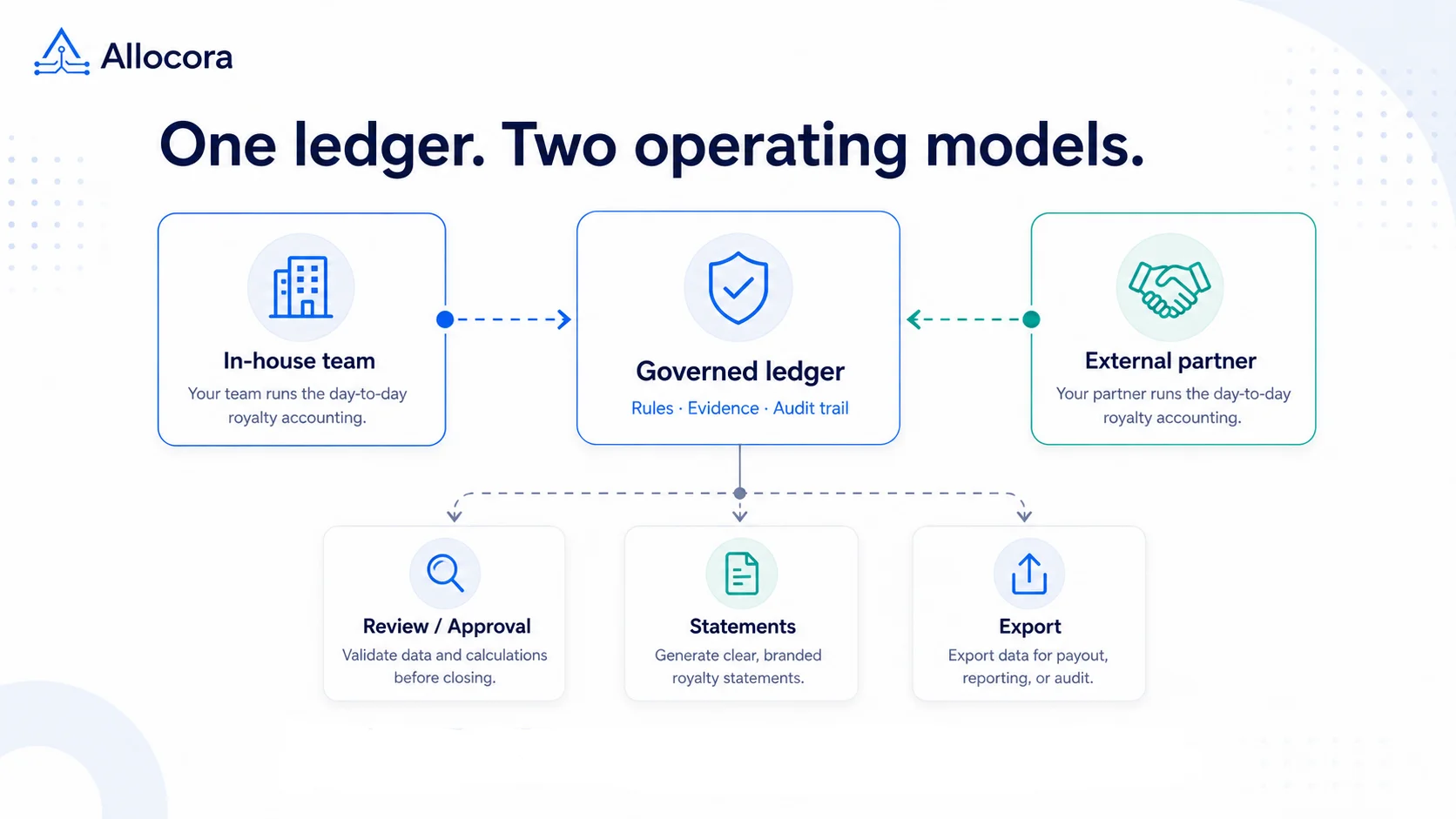 Outsourcing Royalty Accounting vs In-House: A Practical Guide for Growing Teams
A decision guide for labels, publishers, and platforms comparing outsourced royalty accounting, spreadsheet workflows, software-led operations, and hybrid models.
Sep 03, 2026 - 8 min read
Outsourcing Royalty Accounting vs In-House: A Practical Guide for Growing Teams
A decision guide for labels, publishers, and platforms comparing outsourced royalty accounting, spreadsheet workflows, software-led operations, and hybrid models.
Sep 03, 2026 - 8 min read
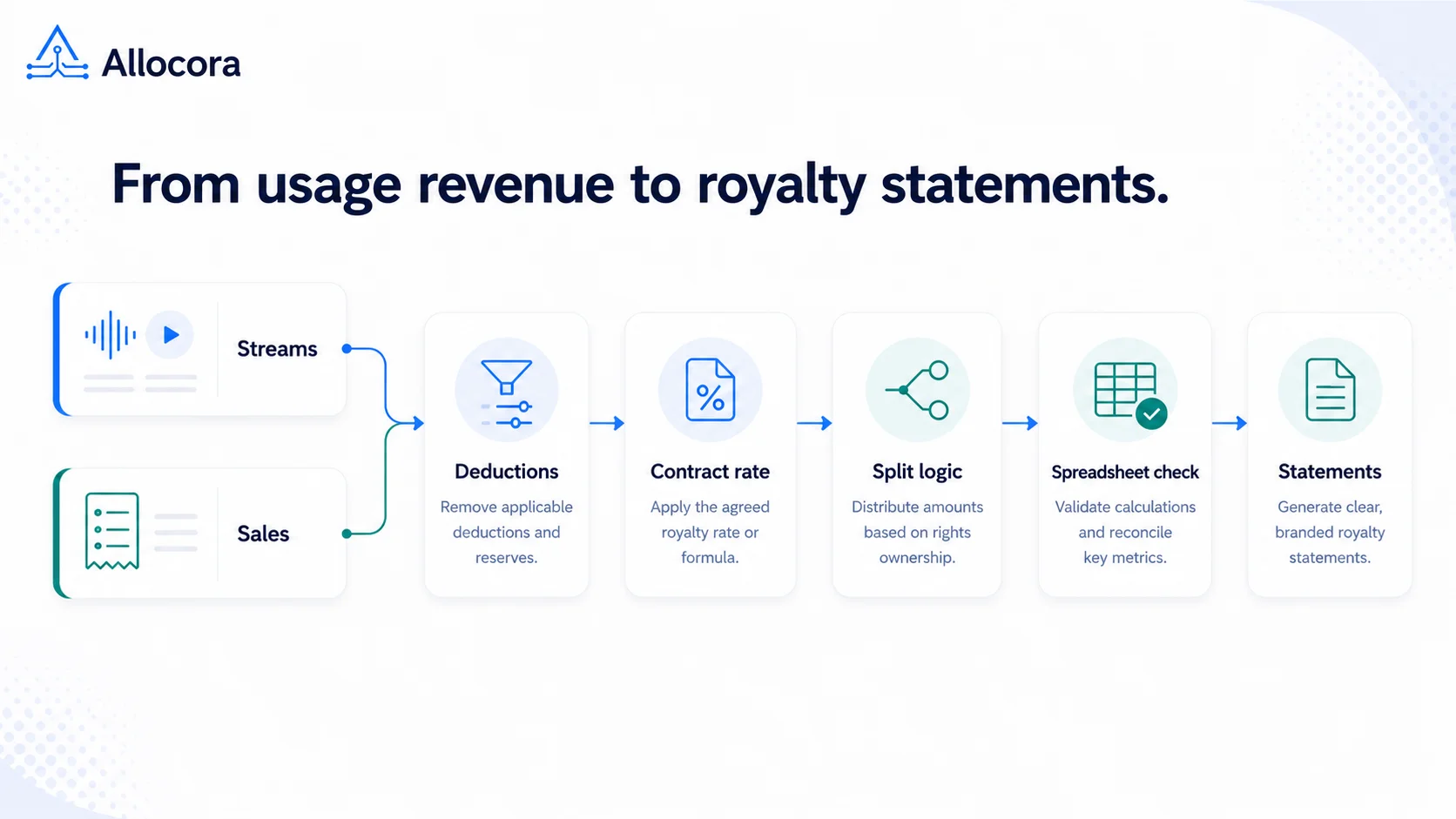 How to Calculate Music Royalties: Formula, Examples, and Spreadsheet Checks
A plain-language guide to calculating music royalties from gross revenue, deductions, splits, recoupment, statements, and audit notes.
Aug 21, 2026 - 8 min read
How to Calculate Music Royalties: Formula, Examples, and Spreadsheet Checks
A plain-language guide to calculating music royalties from gross revenue, deductions, splits, recoupment, statements, and audit notes.
Aug 21, 2026 - 8 min read
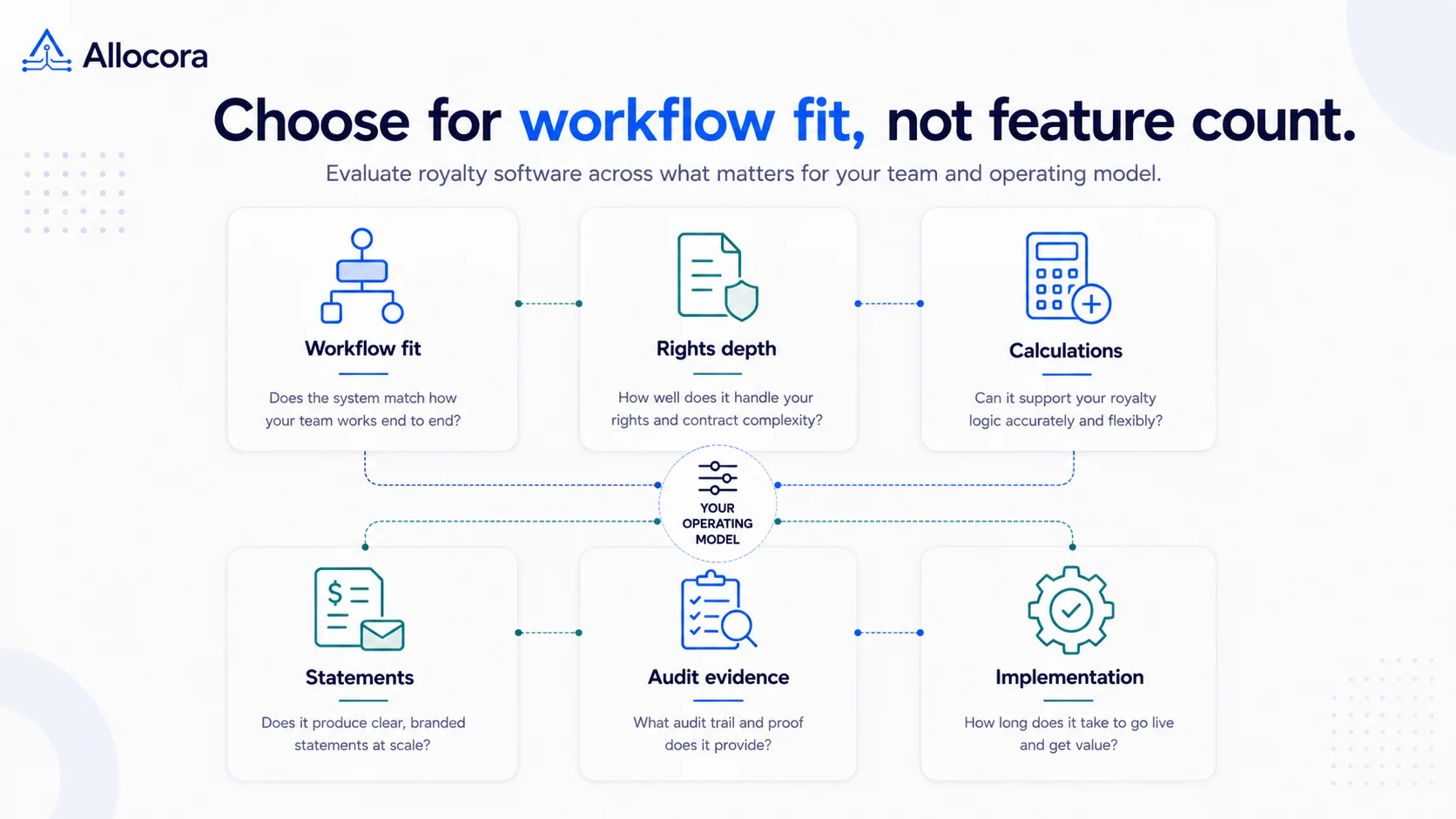 Best Royalty Management Software (2026): Practical Options for Growing Teams
A practical comparison framework for royalty management software, covering calculation scope, implementation effort, pricing transparency, and audit evidence.
Aug 18, 2026 - 10 min read
Best Royalty Management Software (2026): Practical Options for Growing Teams
A practical comparison framework for royalty management software, covering calculation scope, implementation effort, pricing transparency, and audit evidence.
Aug 18, 2026 - 10 min read